


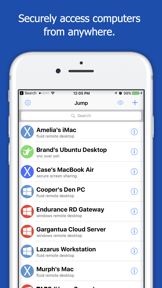
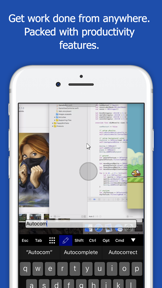


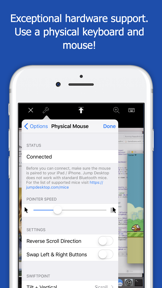
Jump Desktop is a remote access application that enables users to connect to computers globally using RDP, VNC, and the proprietary Fluid Remote Desktop protocol. It emphasizes a one-time purchase model over subscriptions and provides cross-platform compatibility for PC and Mac users.
Overview · Full Intel report in progress
The App DNA
What makes this app unique?
For Professionals and remote workers requiring secure, reliable access to their desktop environments from mobile or desktop devices.
What does it look like?
Key features
Provides native compatibility with RDP and VNC, alongside the high-performance Fluid Remote Desktop protocol.
Implements encryption standards including NLA, TLS/SSL for RDP, SSH Tunnelling for VNC, and DTLS for Fluid connections.
Features a streamlined configuration process via the developer's website to facilitate quick deployment.
How much does it cost?
Velocity
Who built it?
User Sentiment
What do users think recently?
How are ratings & reviews evolving?
Not enough recent reviews to extract reliable themes yet.
Read the full review analysisCompetition
Competitive landscape for Jump Desktop (RDP, VNC, Fluid)
How's the Business market?
The rivals identified

By TeamViewer
Both applications serve professionals and remote workers requiring secure access to desktop environments from mobile devices, creating direct competition for the same remote management use case.
- Jump Desktop utilizes a one-time purchase model, avoiding the subscription-based commercial detection triggers found in TeamViewer.
- TeamViewer integrates Assist AR for visual support, a capability not present in the Jump Desktop feature set.
- Jump Desktop offers the proprietary Fluid protocol, whereas TeamViewer focuses on enterprise-grade IT support and mobile device management.


Unlock the head-to-head verdict: where this rival wins, and where it loses.
Access the full report for freeThe Analyst's Read
Key takeaways for Jump Desktop (RDP, VNC, Fluid)
Where is it heading?
Bottom line
While the app offers a robust, subscription-free remote access solution, users report concerns regarding battery optimization, input method bugs, and inconsistent update frequency.
Report last updated