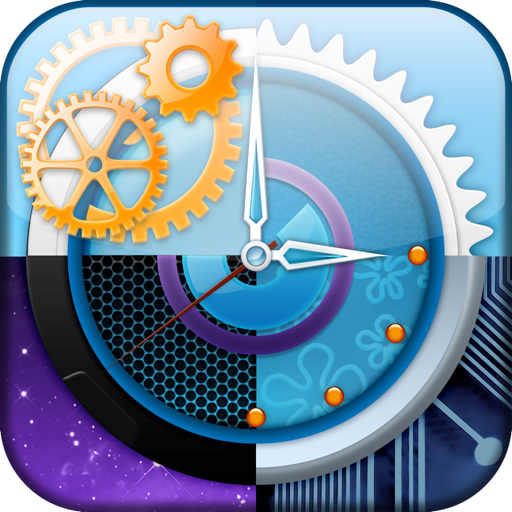



Alarm Clock for Desktop is a utility application providing customizable clock faces, calendar integration, and work scheduling for desktop and mobile users.
The App DNA
What makes this app unique?
Users hire this app to centralize timekeeping and schedule management within a single visual interface, reducing the need to switch between multiple productivity tools.
For Mac desktop users and Android users seeking a visual, calendar-integrated clock utility to manage work and break schedules.
What does it look like?
Key features
Ten distinct clock face designs available for desktop display customization
Syncs tasks and events from iCal and multiple calendars for display on the clock interface
Configurable timer system for managing work intervals and rest periods
How much does it cost?
Paid model at $1.99 fixed price, targeting users seeking a one-time utility purchase without recurring subscription costs.
Velocity
Dormant developmentUX improvementsShow more...
The app shows no signs of active development, with the most recent release occurring in April 2026 after a 12-year hiatus. Prior to this, the development history shows a long period of inactivity following the 2014 releases. The latest update appears to be a singular platform-specific maintenance release rather than a sign of ongoing development. The app is classified as a zombie due to the extreme lack of consistent release cadence over the last decade.
Who built it?
Sergey Vdovenko
13+ apps tracked · Utilities
 Solunar Calendar - Best Hunting Times and Feeding
 Deluxe Moon Pro • App & Widget
 Offline Maps - GPS Tracker
 Deluxe Moon HD - Moon Phases Calendar
 Moon Phases Deluxe
 Deluxe Moon HD - Moon Phase Calendar
 Live Wallpaper - 3D Galaxy
 iBug - Live wallpaper
 Planets -- Live Wallpaper
 Countdown Timer Gadget
 Galaxy Pro - Live Wallpaper
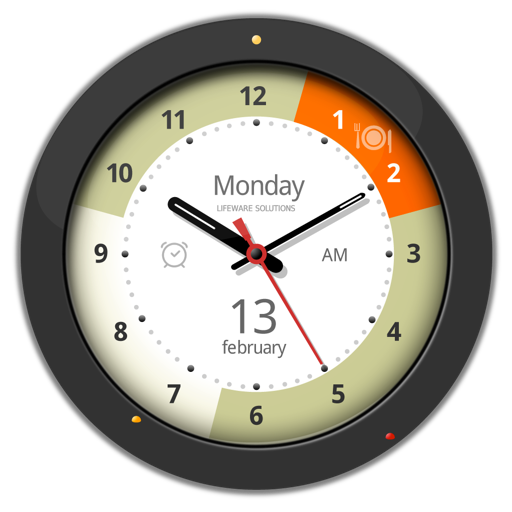 Alarm Clock Gadget Plus – Clock with Alarm and Calendar
User Sentiment
What do users think recently?
The recent review mood reads mixed. Users appreciate core utility of the clock and alarm functionality provides reliable timekeeping for daily routines, but report alarm reliability issues post-update cause missed wake-up calls and significant user frustration.
How are ratings & reviews evolving?
What users say, by theme
- Core utility of the clock and alarm functionality provides reliable timekeeping for daily routines
- Alarm reliability issues post-update cause missed wake-up calls and significant user frustration
64 of 64 recent reviews analyzed · high confidence · Mixed overall
Read the full review analysisUnlock 1 user request, each backed by review evidence.
Access the full report for freeCompetition
Competitive landscape for Alarm Clock for Desktop
How's the Utilities market?
The app occupies a niche desktop-utility space, but the 3.7-star rating on Android lags behind native system clocks. The lack of recent iOS updates since 2014 signals a potential abandonment of the desktop platform in favor of mobile-only maintenance.
Read the market outlookThe rivals identified
By Sleep Tracker & Alarm Clock by Delightroom
Alarmy dominates the alarm niche with a massive user base and aggressive feature set that directly challenges this app's utility-focused value proposition.
- Implements gamified wake-up missions like math problems or photo tasks to force user engagement
- Provides a comprehensive sleep tracking suite that extends beyond simple time-telling functionality
- Maintains a high-frequency release cadence with three major updates in the last six months

Unlock the head-to-head verdict: where this rival wins, and where it loses.
Access the full report for freeThe Analyst's Read
Key takeaways for Alarm Clock for Desktop
Where is it heading?
The utility-clock market is consolidating around high-reliability native tools and high-engagement gamified apps, leaving this product exposed. Without immediate restoration of alarm reliability, the app will continue to lose its remaining user base to more stable alternatives.
- Alarm reliability failures in the latest update cause missed wake-ups, which directly drives the current negative sentiment trend.
- Increased interaction friction in the alarm setup interface complicates daily use, leading to higher churn among power users.
The SWOT
- Desktop-first aesthetic avoids mission-heavy clutter
- iCal integration creates high switching costs
- B2B productivity partnerships
- Wearable integration for notifications
Next best moves
Rebuild alarm trigger logic because reliability is the top complaint → stabilize user retention
+ 1 more prioritized moveThe counter-intuitive read
The app's desktop-first focus is its primary moat…
Read the full takeFeature gaps
Gamified wake-up missions (available in Alarmy but missing here) +1
Since the last report: The product transitioned to a freemium pricing model and updated its feature positioning, but reliability failures in the latest release have severely damaged user sentiment and market viability.
Bottom line
The app provides a unique desktop-utility value, but alarm reliability failures post-update are eroding the user base, so the PM must prioritize core function stability to prevent total churn to native system clocks.
Unlock 3 critical frictions, 2 market threats, 1 more prioritized move and the analyst’s take.
Access the full report for freeReport last updated