


Alarm Clock – Wake Up Time is a lifestyle utility app for iOS and Android that provides customizable alarm and night-clock functionality.
The App DNA
What makes this app unique?
Users hire the app to manage morning routines through personalized visual interfaces and high-decibel alerts that exceed standard system-clock capabilities.
For Individuals seeking a decorative, customizable alarm clock for bedside use who prefer interactive wake-up methods.
What does it look like?
Key features
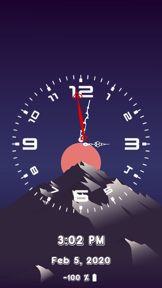
Personal photo backgrounds and color schemes.
Bedside display for time and battery status.
Logic tasks for alarm dismissal.
Subscription-based access to advanced tools.
How much does it cost?
Freemium model uses ad-supported free access to drive volume, with subscription tiers gating ad removal and pro features.
Velocity
Maintenance developmentUX improvementsperformanceShow more...
The development cadence is extremely low, with only one release in the last 55 months. The latest release occurred on April 29, 2026, following a significant gap since early 2024. Development is currently limited to minor technical updates and design adjustments, with no evidence of live-ops or active feature expansion. The project appears to be in a long-term maintenance phase.
Who built it?
Abdulla Yasin
13+ apps tracked · Lifestyle
 Estimate & Invoice Maker Billd
 Tajweed Al Quran Kareem 16 Lin
 Baby Photo Art-Baby Story Pics
 Macho Man - Body Muscle Editor
 Add Watermark – Photo & Video
 ClockDisplay - Time Wallpapers
 Logo Maker: Create Logo Design
 Ai Business Name Generator App
 Genius PDF & Document Scanner
 Make Video With Music & Text
 Analog Clock Face-Clock Widget
 Photo Lab: Selfie Photo Editor
User Sentiment
What do users think recently?
The recent review mood reads frustrated. Users appreciate integrated timer and alarm functionality provides a convenient all in one time management tool, but report unreliable alarm triggering post update causes significant disruption to user daily routines.
How are ratings & reviews evolving?
What users say, by theme
- Integrated timer and alarm functionality provides a convenient all in one time management tool
- Unreliable alarm triggering post update causes significant disruption to user daily routines
50 of 50 recent reviews analyzed · high confidence · Frustrated overall
Read the full review analysisUnlock 1 user request, each backed by review evidence.
Access the full report for freeCompetition
Competitive landscape for Alarm Clock – Wake Up Time
How's the Lifestyle market?
The app maintains a 3.7-star rating on Android, but the recent decline in sentiment following the latest update signals a loss of trust in its core utility. The lack of iOS traction suggests the app is failing to compete with native system clocks on that platform.
Read the market outlookThe rivals identified
By Sleep Tracker & Alarm Clock by Delightroom
Dominates the niche with a massive user base and high-frequency release cadence, directly competing for the same morning-routine audience.
- Forces user engagement through mandatory mission-based alarms like math problems or photo tasks
- Integrates comprehensive sleep tracking and analysis features that go beyond simple time-based alerts
- Maintains a high-velocity release schedule with three major updates in the last six months
 Alarm Clock Xtreme & TimerContender
 Sleep Cycle - Tracker & SoundsContender
 Loud Alarm Clock PRO Sleep +Contender
Unlock the head-to-head verdict: where this rival wins, and where it loses.
Access the full report for freeThe Analyst's Read
Key takeaways for Alarm Clock – Wake Up Time
Where is it heading?
The lifestyle utility market is consolidating around apps that provide either deep health insights or high-retention gamification. Alarm Clock – Wake Up Time is currently exposed because its maintenance-mode updates fail to match the reliability of native system clocks or the engagement of mission-based rivals, so revenue will likely compress as churn accelerates.
- Alarm reliability failures in the latest update trigger high churn, which compounds the rating drag already visible on Android.
- Forced assistant news integration during alarms creates unwanted friction, leading to uninstalls among users seeking a simple, focused utility.
The SWOT
- Aesthetic-focused interface avoids feature bloat
- Night Clock mode extends utility as bedside accessory
- Untapped education partnerships for B2B distribution
- Integration of wearable health metrics
Next best moves
Rebuild alarm trigger logic because reliability failures are the top churn driver → restore baseline retention
+ 1 more prioritized moveThe counter-intuitive read
The app's reliance on ad-supported revenue is actually its primary vulnerability…
Read the full takeFeature gaps
Real-time sleep cycle analysis (available in Sleep Cycle but absent here) +1
Since the last report: The app transitioned to a freemium revenue model and introduced interactive alarm-dismissal features, but these updates introduced technical instability that negatively impacted user sentiment.
Bottom line
The app fails to deliver on its core promise of reliability, because the latest update introduced critical alarm-trigger bugs, so the PM must prioritize technical stability over new features to prevent further user churn.
Unlock 3 critical frictions, 2 market threats, 1 more prioritized move and the analyst’s take.
Access the full report for freeReport last updated