


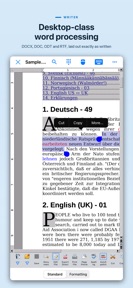


AO Office is a mobile office suite for iOS that ports Apache OpenOffice components for document editing and analysis.
The App DNA
What makes this app unique?
The app removes the financial friction of monthly subscriptions for users who need to maintain desktop-compatible document workflows on mobile devices.
For Students and professionals requiring mobile access to OpenDocument and Microsoft Office file formats.
What does it look like?
Key features
Includes Writer, Calc, Impress, Draw, and Math modules to support full document creation workflows.
Connects to Dropbox, iCloud, and Google Drive; gated behind the paid version to drive conversion.
Allows direct file access from network storage, restricted to paid users to target power-user segments.
How much does it cost?
The one-time purchase model serves as a primary conversion lever for users seeking to avoid monthly subscription costs.
Velocity
Active developmentUX improvementsperformanceShow more...
AO Office maintains an active development cadence, shipping two updates within the last month. The latest release focuses on technical improvements to document compatibility, specifically targeting formatting parity with Microsoft Word. This follows a period of stability, indicating a stable development trend focused on core functionality rather than live-service features. The developer is actively addressing document rendering and layout precision to enhance the utility of the office suite.
Who built it?
Akikazu Yoshikawa
3 apps tracked · Productivity
 AO Office Pro
 AndrOpen Office
User Sentiment
What do users think recently?
Fresh user feedback skews frustrated. Users appreciate open source compatibility allows users to maintain document workflows established on desktop office suites and lifetime license purchase model provides a cost-effective alternative to recurring monthly subscription software.
How are ratings & reviews evolving?
What users say, by theme
- Open source compatibility allows users to maintain document workflows established on desktop office suites
- Lifetime license purchase model provides a cost-effective alternative to recurring monthly subscription software
- Frequent application crashes and data loss during editing sessions disrupt the core document workflow
49 of 49 recent reviews analyzed · high confidence · Frustrated overall
Read the full review analysisUnlock 2 more frustration themes and 1 user request, each backed by review evidence.
Access the full report for freeCompetition
Competitive landscape for AO Office
How's the Productivity market?
AO Office maintains a 4.3-star rating across 1,473 total ratings, positioning itself as a legacy-compatible alternative in the productivity space. The reliance on a one-time purchase model differentiates the app from subscription-based rivals, though the lack of stability prevents it from capturing a larger share of the mobile-first market.
The rivals identified
The Analyst's Read
Key takeaways for AO Office
Where is it heading?
The mobile productivity market is consolidating around native-first experiences, leaving port-based suites like AO Office exposed if they cannot match the stability of modern competitors. The current release cadence shows active investment in format compatibility, but the lack of core stability improvements will continue to suppress long-term retention until the crash-recovery gap is closed.
- Frequent crashes and lack of recovery systems erode the daily active habit, which compounds the rating drag already visible in reviews.
- The latest release improves DOCX compatibility, signaling that the developer is actively addressing format-rendering complaints to maintain parity with desktop office suites.
The SWOT
- High reproducibility for OpenDocument formats maintains desktop-to-mobile workflow integrity.
- Lifetime license model provides a cost-effective alternative to recurring subscription-based office suites.
- Implementation of an autosave and recovery system would directly address the #1 user-requested feature.
- UI refinement for touch-first interaction could capture users frustrated by the desktop-port feel of current mobile office alternatives.
Next best moves
Ship automatic save and recovery logic because it is the top-requested feature to mitigate crash-related data loss → increase retention.
+ 2 more prioritized movesThe counter-intuitive read
The app's desktop-port architecture is a feature, not a bug…
Read the full takeSince the last report: The developer pivoted from a feature-parity roadmap to a usability-focused strategy, explicitly acknowledging the limitations of the desktop-port architecture in the SWOT analysis and PM action items.
Bottom line
Implementing an automatic recovery system would address the primary cause of user churn, stabilizing the app's value proposition as a one-time purchase alternative to subscription suites.
Unlock 3 critical frictions, 1 market threat, 2 more prioritized moves and the analyst’s take.
Access the full report for freeFAQ
Is AO Office suitable for mobile-first document editing?
How does AO Office compare to Microsoft Office mobile apps?
Is it safe to use AO Office for important documents?
What are some alternatives to AO Office?
Sources
- [1] App Store, source
Report last updated