


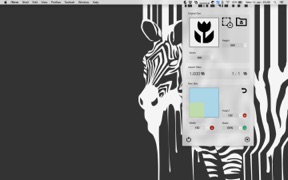
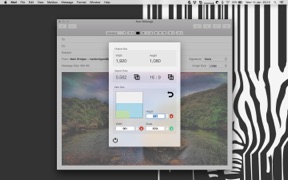

Aspect Ratio Calculator is a utility designed to help users maintain image proportions by calculating dimensions based on screen selections or existing image files. It allows users to adjust width, height, or scale to ensure output matches original aspect ratios. The app is notable for its focused, single-task utility, though it lacks standard window controls.
Overview · Full Intel report in progress
The App DNA
What makes this app unique?
For Designers, developers, and content creators who frequently resize images while maintaining specific aspect ratios.
What does it look like?
Key features
Captures a portion of the screen to automatically calculate dimensions and aspect ratios.
Imports images to determine current dimensions and identify the corresponding aspect ratio.
Adjusts width, height, or scale parameters while automatically updating the remaining values to preserve proportions.
How much does it cost?
Velocity
Dormant developmentShow more...
5 versions in history. Development pace: zombie.
Who built it?
BRIDGETECH SOLUTIONS
13+ apps tracked · Developer Tools
 Blood Pressure Monitor Connect
 Klued Up: Board Game Solver
 Off - Shutdown and Wake On Lan
 Geek Quiz
 White Noise: Sound Machine
 Lottery Balls - Random Picker
 Asset Catalog Creator
 News Widget - Offline Reader
 Musical Chairs: Party Games
 Klued Up Pro Board Game Solver
 Asset Catalog Creator Pro
 Hypnobirthing Baby
User Sentiment
What do users think recently?
How are ratings & reviews evolving?
Not enough recent reviews to extract reliable themes yet.
Read the full review analysisCompetition
Competitive landscape for Aspect Ratio Calculator
How's the Developer Tools market?
The rivals identified
The Analyst's Read
Key takeaways for Aspect Ratio Calculator
Where is it heading?
Bottom line
While the app provides a highly efficient workflow for resizing tasks, users report significant friction regarding non-customizable keyboard shortcuts and stability issues on older operating systems.
Report last updated