


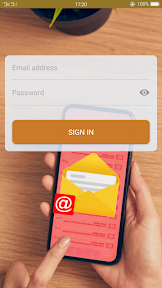


Email box for Hotmail, Outlook is a mobile communication tool designed to provide a unified interface for managing multiple Hotmail and Outlook accounts on Android. The app emphasizes ease of use through gesture-based navigation and automated server detection for streamlined account setup. It also includes integrated security features like passcode protection to ensure private mailbox access.
Overview · Full Intel report in progress
The App DNA
What makes this app unique?
For Android users who require a centralized, secure mobile client for managing multiple Hotmail and Outlook email accounts.
What does it look like?
Key features
Allows users to manage and switch between multiple Hotmail and Outlook accounts within a single interface.
Utilizes touch and swipe gestures to facilitate intuitive mailbox management.
Automatically detects email server settings using secure protocols to simplify the account sign-in process.
Protects user data with passcode or pattern-based access controls.
Provides real-time alerts for new emails with an optional 'Do not disturb' mode.
How much does it cost?
Velocity
Who built it?
User Sentiment
What do users think recently?
How are ratings & reviews evolving?
Not enough recent reviews to extract reliable themes yet.
Read the full review analysisCompetition
Competitive landscape for Email box for Hotmail, Outlook
How's the Communication market?
The rivals identified
The Analyst's Read
Key takeaways for Email box for Hotmail, Outlook
Where is it heading?
Bottom line
This is a free, utility-focused email client that prioritizes simplified account configuration and basic mailbox management for Microsoft email users.
Report last updated