

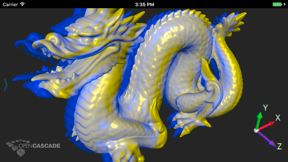
CAD Assistant is an offline 3D CAD and mesh model viewer for iOS, utilizing Open CASCADE Technology.
The App DNA
What makes this app unique?
Engineers hire this tool to inspect complex CAD geometry on mobile devices without needing a desktop workstation, so the lack of updates threatens the long-term utility of the viewer.
For Engineers and 3D designers who need to view or convert CAD and mesh files on mobile devices.
What does it look like?
Key features
Renders 3D models from BREP, IGES, STEP, STL, PLY, OBJ, JT, and glTF formats using OCCT components.
Displays mesh elements colored by scalar quantities with adjustable interactive color scales.
Exports loaded CAD or mesh models into alternative formats including STEP, IGES, BREP, PLY, STL, OBJ, and glTF.
How much does it cost?
The app operates as a free utility to showcase the Open CASCADE Technology stack, with monetization focused on B2B development services.
Velocity
Dormant developmentperformanceUX improvementsShow more...
The app has not received a release in over seven years, indicating that development has ceased. There is no evidence of active maintenance, feature updates, or live operations. The project is classified as a zombie app due to the extreme duration of inactivity.
Who built it?
User Sentiment
What do users think recently?
Fresh user feedback skews mixed.
How are ratings & reviews evolving?
Not enough recent reviews to extract reliable themes yet.
Read the full review analysisCompetition
Competitive landscape for CAD Assistant
How's the Productivity market?
CAD Assistant maintains a niche position as a free, offline-first CAD viewer with a 4.05 rating, but its lack of updates since 2018 leaves it trailing behind active competitors.
Read the market outlookThe rivals identified
Unlock the deeper market read.
Access the full report for freeThe Analyst's Read
Key takeaways for CAD Assistant
Where is it heading?
The mobile CAD market is shifting toward cloud-connected, feature-rich design tools, leaving static viewers like CAD Assistant increasingly isolated. Without a commitment to modern OS support, the app will continue to lose relevance to active competitors, so the team must decide whether to refresh the codebase or sunset the product.
- The lack of updates since 2018 indicates the app is in maintenance mode, which erodes trust for professional users requiring modern OS support.
- Competitors like Nomad Sculpt maintain a high release cadence, which shifts user expectations toward active, feature-rich mobile design tools.
The SWOT
- OCCT rendering engine provides reliable geometry handling
- Multi-format support covers standard industrial file types
- Integrate cloud-storage APIs for file management
- Add AR-viewing mode for field inspection
Next best moves
Audit compatibility for current iOS because the app has not been updated since 2018 → maintain baseline utility
The counter-intuitive read
The app's lack of updates is a strategic…
Read the full takeFeature gaps
Real-time remote print management (available in RC Klipper 3D) +2
Since the last report: The report identifies a transition from a stable legacy utility to a declining product as the competitive landscape shifts toward active, feature-rich alternatives.
Bottom line
CAD Assistant provides a reliable rendering engine for industrial CAD formats, but the lack of updates since 2018 makes it a liability for professional workflows, so the team should prioritize a stability audit or sunset the app.
Unlock 3 critical frictions, 2 market threats and the analyst’s take.
Access the full report for freeReport last updated