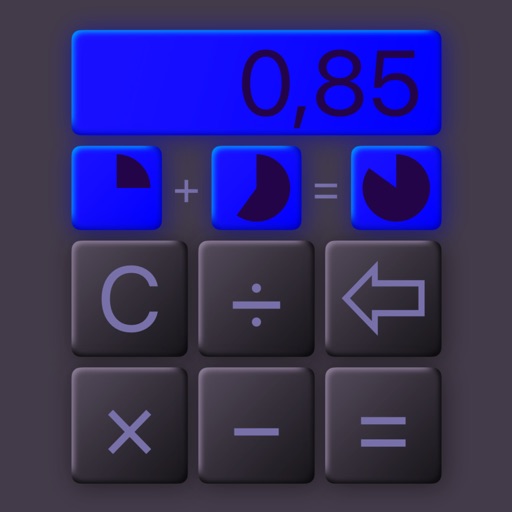


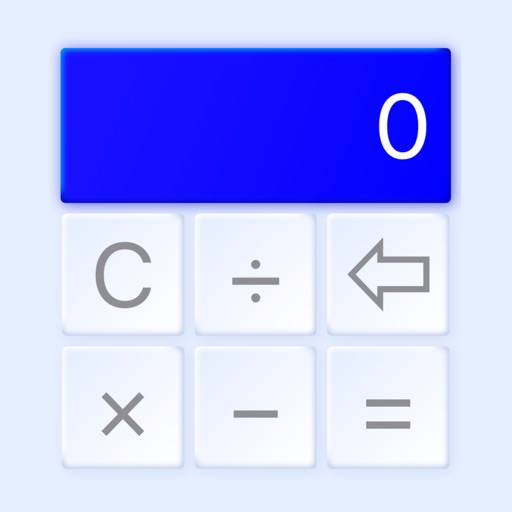
@Calculator is a utility app for iOS and Android that provides graphic visualization of mathematical operations and neumorphic design.
The App DNA
What makes this app unique?
Users hire this app for a tactile, visually-enhanced calculation experience that standard system calculators lack, though the current design regressions hinder the core job of quick, accurate math.
For Students and office professionals requiring a calculator with advanced visualization and aesthetic customization.
What does it look like?
Key features
Visualizes fractions and mathematical operations on them using Apple technology
Interface elements rendered with 3D depth and haptic feedback on key presses
Customizable color palettes and button shapes (square or circle) for iPhone and iPad
How much does it cost?
The developer employs a platform-split strategy, charging a $9.99 premium for aesthetic and visualization features on iOS while maintaining a free, functional utility on Android.
Velocity
Maintenance developmentUX improvementsperformanceShow more...
The app exhibits a maintenance-level cadence, with only two releases recorded over a period of approximately 3.5 years. The latest release focused on a design system update, but the overall frequency of updates is extremely low. There is no evidence of a live-ops strategy or consistent feature development. The development momentum is currently stagnant.
Who built it?
Mikolaj Adamowicz
13+ apps tracked · Education
 Measuro
 4x4 Cockpit
 VirusX Expansion
 Helix Planner
 Calculee
 Pizza Enterprise
 Teddy's Nanny
 Flags Memory
 Flag Detector
 Drink Illumination
 Solar Symphony
 Roads Eye
User Sentiment
What do users think recently?
Review voice lately leans mixed. Users appreciate core mathematical calculation functionality remains reliable and accurate for daily user tasks, but report recent design changes removed critical real-time calculation displays during the typing process.
How are ratings & reviews evolving?
What users say, by theme
- Core mathematical calculation functionality remains reliable and accurate for daily user tasks
- Recent design changes removed critical real-time calculation displays during the typing process
50 of 50 recent reviews analyzed · high confidence · Mixed overall
Read the full review analysisUnlock 1 user request, each backed by review evidence.
Access the full report for freeCompetition
Competitive landscape for @Calculator
How's the Education market?
The app maintains a 4.35 rating on Android with over 760,000 reviews, but the iOS version remains unrated at a $9.99 price point. This disparity suggests the premium pricing model has not yet gained traction against free, established alternatives.
Read the market outlookThe rivals identified

By Incpt.Mobis
This app mirrors this app's core utility focus while maintaining a massive, active user base and high-frequency maintenance cycle.
- Maintains a high-frequency release cadence of three updates in six months to ensure OS compatibility.
- Focuses on pure utility and infinite calculation capacity rather than this app's graphic visualization approach.
- Leverages a long-standing market presence since 2016 to maintain a massive, stable user base.

Unlock the head-to-head verdict: where this rival wins, and where it loses.
Access the full report for freeThe Analyst's Read
Key takeaways for @Calculator
Where is it heading?
The utility market is consolidating around high-reliability tools, and this app's recent UI regressions leave it exposed to rivals like Calculator ∞. Unless the team restores core functionality, the current churn trend will accelerate as users migrate to more stable alternatives.
- The removal of real-time calculation displays in the latest update creates a productivity regression that drives user churn.
- Technical instability causing forced app closures erodes the reliability baseline expected of a utility application.
- Recent updates focused on Material 3 design, but failed to address the core utility gaps requested by users.
The SWOT
- Neumorphic 3D design creates a tactile, premium user experience
- Graphic visualization of fractions provides superior educational value for students
- Integration of unit conversion tools
- Addition of memory functions like m plus
- Expansion into wearable-specific interfaces
Next best moves
Ship real-time calculation preview because its removal is the #1 productivity complaint → stabilize churn trend.
+ 2 more prioritized movesThe counter-intuitive read
The app's neumorphic design is a liability, not a strength…
Read the full takeFeature gaps
Real-time calculation preview (available in Calculator ∞ but missing here) +2
Since the last report: The app shifted to a paid premium model on iOS and introduced significant design regressions that triggered negative sentiment and churn.
Bottom line
The app succeeds as a visual utility, but the latest design regressions alienate the core user base, so the PM must prioritize restoring functional parity to prevent churn to more reliable competitors.
Unlock 3 critical frictions, 3 market threats, 2 more prioritized moves and the analyst’s take.
Access the full report for freeReport last updated