Report updated May 6, 2026

Clock 360 - Themes for TV is an established entertainment app that is completely free. With a 3.7/5 rating from 765.8K reviews, it shows polarized user reception. Users particularly appreciate all-in-one utility combining alarm, timer, and stopwatch functions provides significant daily convenience for users, though critical alarm failure following the latest update prevents scheduled alerts from triggering reliably for users remains a common concern.

What is Clock 360 - Themes for TV?

Clock 360 is a time-management utility for Android and TV, providing alarms, timers, and aesthetic clock themes.

Users hire the app for consolidated timekeeping and living room visual customization, but the recent reliability regressions break the primary job of waking the user.

Current Momentum

v2.0 · 3w ago

Zombie
  • Shipped Material 3 Expressive design update.
  • Released minor bug fixes for TV.

Active Nemesis

Alarmy - Alarm Clock & Sleep

Alarmy - Alarm Clock & Sleep

By Sleep Tracker & Alarm Clock by Delightroom

Other Rivals

Alarm Clock Xtreme & Timer
Sleep Cycle - Tracker & Sounds
Clock
Clock
Alarm Clock ◎

7-Day Rank Pulse 🇺🇸

Entertainment

No ranking data

Rating Pulse 🇺🇸

Recent User Mood

What makes this app unique?

What Does It Look Like?

What Are The Key Features?

Alarm and Timer ManagementStandard

Standard utility for setting recurring alarms, countdown timers, and stopwatch functionality.

World ClockStandard

Global time tracking interface for monitoring multiple time zones.

Wear OS IntegrationDifferentiator

Syncs alarms and timers to wrist-worn devices via tiles and watch face complications.

Sleep Sounds and Bedtime ScheduleDifferentiator

Integrated audio playback for sleep assistance and automated sleep-wake scheduling.

TV-Optimized Clock ThemesDifferentiator

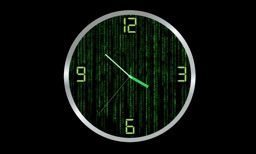
Visual clock skins including Sci-Fi, Kids, and Classic styles for television displays.

How much does it cost?

Free
  • Free access to all features

The app operates as a free utility with no observable IAP or subscription gates, likely serving as a platform-retention tool for the developer.

What do users think recently?

High confidence · 50 reviews analyzed · Based on 50 reviews. Signal may be noisy.

What is the recent mood?

Mixed

Recent user voice shows a mixed sentiment. Users appreciate all-in-one utility combining alarm, timer, and stopwatch functions provides significant daily convenience for users and diverse selection of alarm tones allows for personalized wake-up experiences on mobile devices, but report critical alarm failure following the latest update prevents scheduled alerts from triggering reliably for users and overly complex interface changes post-update increase the number of steps required for basic alarm setup.

What Users Love

All-in-one utility combining alarm, timer, and stopwatch functions provides significant daily convenience for users
Diverse selection of alarm tones allows for personalized wake-up experiences on mobile devices

What Frustrates Users

Critical alarm failure following the latest update prevents scheduled alerts from triggering reliably for users
Overly complex interface changes post-update increase the number of steps required for basic alarm setup
Automatic silencing of alarms after short durations causes significant disruption to user morning routines

What Users Want

Customizable alarm settings including the ability to disable snooze and adjust sound persistence
Light mode interface option to improve visibility and accessibility for daily time management

View the full user-sentiment analysis

Mood gauge, ratings & review-volume history, every praise / complaint / request, and sentiment over time.

Go deeper

What is the competitive landscape for Clock 360 - Themes for TV?

How's The Entertainment Market?

Market outlook for this category

Available very soon

The rivals identified

Nemeses(1)

Alarmy - Alarm Clock & Sleep icon

Sleep Tracker & Alarm Clock by Delightroom

4.6(2M)

Alarmy dominates the alarm niche with a massive user base and high-frequency release cadence, directly competing for the same morning-routine audience.

Differentiators

  • Integrates complex mission-based wake-up tasks like math problems or photo challenges to force user engagement.
  • Offers a comprehensive sleep-tracking ecosystem that extends far beyond simple alarm functionality.
  • Maintains a high-velocity release schedule with three updates in the last six months to ensure feature stability.

Head to head

The target app should pivot toward a 'Zen/Minimalist' positioning to avoid a direct feature war with Alarmy's complex, task-heavy ecosystem.

Contenders(2)

Focuses on the health-tech aspect of the alarm category, providing a sophisticated alternative for sleep-optimization users.

Differentiators

  • Utilizes sound analysis to track sleep stages and wake users during their lightest sleep phase.
  • Provides detailed sleep quality analytics that the target app currently lacks in its feature set.

A long-standing, high-scale utility that provides a robust alternative for users prioritizing reliability and feature depth.

Differentiators

  • Includes advanced math-problem solving features to prevent accidental alarm dismissal by the user.
  • Supports extensive customization of alarm volume and snooze duration for granular control over morning routines.

Same space(2)

Clock icon
Clockmoat: high

Apple

3.9(341.1K)

The default iOS utility that defines the UX standard for the target app's primary platform.

Differentiators

  • Provides native system-level integration with iOS Bedtime and Focus modes for seamless environment synchronization.
  • Features a highly optimized, battery-efficient background process that third-party apps struggle to replicate.
Clock icon
Clockmoat: high

Google LLC

3.7(765.7K)

The default system utility that sets the baseline expectation for alarm and timer functionality on Android.

Differentiators

  • Deeply integrated into the Android OS, providing seamless system-level alarm and timer management.
  • Offers a clean, zero-friction interface that serves as the industry standard for basic timekeeping.

New entrants(1)

Alarm Clock ◎ icon

RV AppStudios LLC

4.5(3.5K)

Demonstrates high development velocity with 11 releases in the last six months, signaling rapid iteration and feature testing.

Differentiators

  • Rapidly iterating on UI/UX to capture users dissatisfied with the stagnation of legacy alarm apps.
  • Focusing on high-frequency updates to quickly address user feedback and improve app store visibility.

Compare Clock 360 - Themes for TV against every rival

All rivals in one side-by-side table — identity, store metrics, ratings & sentiment, and strategic intel — plus a head-to-head page for each.

Go deeper

The outtake for Clock 360 - Themes for TV

Strengths to defend, gaps to attack

Core Strengths

  • Wear OS tile integration embeds utility into secondary hardware
  • TV-optimized themes capture living room screen-time

Critical Frictions

  • 3.71 rating reflects reliability regressions
  • Alarm self-silencing after ten minutes triggers high churn
  • Complex UI increases setup friction

Growth Levers

  • Implement customizable alarm persistence to address user complaints
  • Expand light-mode accessibility for better visibility

Market Threats

  • Alarmy's mission-based wake-up tasks force higher engagement
  • System-level default clocks offer zero-friction alternatives
  • Rapid iteration from new entrants threatens legacy user base

What are the next best moves?

highPivot

Rebuild alarm trigger logic because reliability regressions are the top complaint → stabilize rating baseline

Alarm failure is the #1 complaint theme in recent reviews.

Trade-off: Pause the TV-theme expansion sprint — reliability is a higher churn risk than feature breadth.

mediumInvest

Simplify alarm setup flow because current design increases friction → improve daily active habit

User feedback explicitly requests the legacy interaction model.

Trade-off: Deprioritize the light-mode UI request — core functionality must be fixed before aesthetic polish.

A counter-intuitive read

The app's TV-optimized themes are a liability, not a strength, because they distract from the core alarm utility which is currently failing to meet basic user expectations.

Feature Gaps vs Competitors

  • Mission-based wake-up tasks (available in Alarmy but absent here)
  • Sleep stage tracking (available in Sleep Cycle but absent here)

Key Takeaways

Clock 360 provides aesthetic value for TV users but fails at its core utility of reliable waking, so the PM must prioritize alarm stability over new features to prevent total user attrition.

Where Is It Heading?

Declining

The alarm utility market is consolidating around high-retention, mission-based wake-up tools, leaving Clock 360 exposed due to its recent reliability regressions. Unless the team restores core alarm persistence, the app will continue to lose ground to system-level defaults and high-velocity competitors.

Critical alarm failures post-update erode user trust, directly causing the sharp decline in sentiment and retention.

Recent updates focused on Material 3 design and TV bug fixes, showing no meaningful expansion of core utility.

Disclosure: Independent intel to help mobile builders succeed.

AI-powered analysis with editorial review, built from publicly available sources. Marlvel.ai is not affiliated with, endorsed by, or sponsored by Clock 360 - Themes for TV, its developer, the app publisher, Apple, or Google Play. All trademarks, logos, and screenshots referenced remain the property of their respective owners.

What's new

The app has entered a state of decline due to critical alarm reliability failures and a lack of development activity, despite attempts to differentiate via TV-specific themes.

declined

Critical Alarm Reliability Failures

improved

Feature Repositioning

added

New Weaknesses and Threats

shifted

Development Velocity

Cite this report

Marlvel.ai. “Clock 360 - Themes for TV Intelligence Report.” Updated May 6, 2026. https://marlvel.ai/apps/clock-360-themes-for-tv

Agent Markdown (.md)See methodologyContact support

Data licensed under CC-BY-NC 4.0