

Color Inspiration Tool

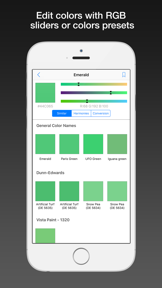


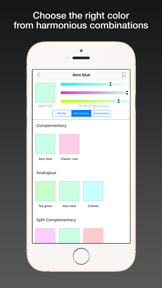

Color Inspiration Tool is a utility for designers to manage, identify, and extract color palettes from images and custom files on iOS.
The App DNA
What makes this app unique?
The app removes the friction of transferring color swatches between desktop design software and mobile devices by supporting standard file formats.
For Graphic designers, artists, and hobbyists who need to identify, organize, and manage color palettes for digital or print projects.
What does it look like?
Key features
Supports importing color palettes from .aco, .ase, and .swatches file formats.
Identifies color names from camera input in real time.
Extracts color schemes directly from user-uploaded images.
How much does it cost?
Color Inspiration Tool operates as a free utility with no visible subscription or IAP gates.
Velocity
Dormant developmentnew contentShow more...
Color Inspiration Tool has been inactive for 3,039 days, indicating the project is no longer receiving updates. The development history shows only a single version release, which included minor feature additions such as new color harmonies. Given the lack of activity for over eight years, the app is classified as a zombie project.
Who built it?
Pavlo Liashenko
2 apps tracked · Utilities
 Chat Quiz - Brain Training
User Sentiment
What do users think recently?
How are ratings & reviews evolving?
Not enough recent reviews to extract reliable themes yet.
Read the full review analysisCompetition
Competitive landscape for Color Inspiration Tool
How's the Utilities market?
Color Inspiration Tool maintains a 4.18 rating across 108 total reviews, reflecting a stable but aging utility. The lack of updates for over 3,000 days positions it as a legacy tool rather than a competitive player in the current design utility market.
Read the market outlookThe rivals identified
Unlock the deeper market read.
Access the full report for freeThe Analyst's Read
Key takeaways for Color Inspiration Tool
Where is it heading?
The design utility market is shifting toward cloud-connected, subscription-based platforms that offer cross-device synchronization. Color Inspiration Tool remains a static, local-only utility, which leaves it increasingly isolated from modern design workflows and vulnerable to OS-level deprecations.
- The 3,039-day update gap indicates a lack of active maintenance, which erodes user trust and long-term utility.
The SWOT
- Custom palette import (.aco, .ase) enables professional design workflows
- Modernizing the color detection engine could attract users from subscription-heavy rivals
Next best moves
Audit codebase for OS compatibility because the app has not been updated in over 3,000 days → prevent total functional failure
The counter-intuitive read
The lack of updates is a feature for users who prioritize a static…
Read the full takeSince the last report: The integration of a 4.18 rating across 108 reviews provides the first quantitative performance baseline for the app. The strategic outlook has moved from passive maintenance to an active investment recommendation for codebase auditing.
Bottom line
Color Inspiration Tool provides a niche utility for palette management, but the eight-year update gap makes it a high-risk dependency for professional workflows. The PM should prioritize a stability audit to determine if the codebase can support a modern feature refresh.
Unlock 1 critical friction, 1 market threat and the analyst’s take.
Access the full report for freeFAQ
Is Color Inspiration Tool free to use?
Does Color Inspiration Tool support custom palette files?
Is Color Inspiration Tool still being updated?
Sources
- [1] App Store
Report last updated