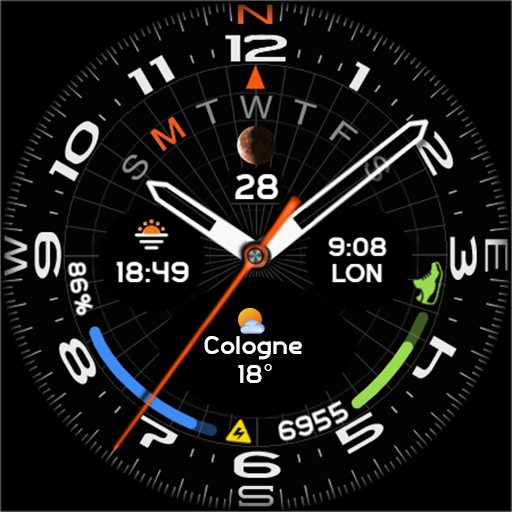


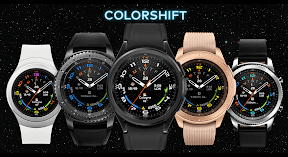


Colorshift is a customizable Wear OS watch face offering multiple index colors, background styles, and complication slots for smartwatch personalization.
The App DNA
What makes this app unique?
Users install Colorshift to refresh their device aesthetic, but the product's inability to sync correctly on Galaxy Watch devices creates a significant barrier to entry.
For Wear OS smartwatch users seeking aesthetic customization and at-a-glance health data.
What does it look like?
Key features
Three user-definable slots for data display on the watch face, serving as a retention mechanism that increases daily utility.
Selection of 10 index colors and multiple hand combinations, acting as an engagement loop that encourages long-term installation.
How much does it cost?
The product is distributed for free with no IAP or subscription gates, functioning as a brand-building tool for the developer's wider catalog.
Velocity
Dormant developmentnew contentShow more...
The app has entered a zombie state, with the most recent release occurring on February 6, 2025, over 15 months ago. There is no evidence of ongoing development, live operations, or feature updates. The previous release history shows a significant gap of over six years between the current version and the prior update in 2019, indicating a lack of consistent maintenance or product roadmap.
Who built it?
SP Watch
13+ apps tracked · Personalization
 Lumen 2
 Tension Control
 Timeflex
 Aero White
 SP Chrono 2
 Dark Radiance
 SP Classic
 Pilot
Pilot SP Digital 4
 Ledglow
 SP Hybrid
 SP Hybrid V
User Sentiment
What do users think recently?
Fresh user feedback skews frustrated. Users appreciate vibrant color schemes and hybrid analog-informational watch face designs appeal to users seeking aesthetic variety, but report installation failures on galaxy watch devices prevent users from accessing the watch face after purchase.
How are ratings & reviews evolving?
What users say, by theme
- Vibrant color schemes and hybrid analog-informational watch face designs appeal to users seeking aesthetic variety
- Installation failures on Galaxy Watch devices prevent users from accessing the watch face after purchase
69 of 99 recent reviews analyzed · high confidence · Frustrated overall
Read the full review analysisUnlock 2 more frustration themes and 1 user request, each backed by review evidence.
Access the full report for freeCompetition
Competitive landscape for Colorshift
How's the Personalization market?
Colorshift holds a niche position in the Personalization category, currently ranking #148 in the Top Free charts. The product's low rating of 3.63 across 708 reviews on Android highlights significant friction compared to category leaders.
The rivals identified

By amoledwatchfaces™
This app directly competes for the same Wear OS personalization market by offering high-density data complications and advanced design customization.
- Utilizes PNGQuant optimization to ensure high-quality visuals without sacrificing battery life or system performance
- Implements Material You design language, providing a modern aesthetic that aligns with current Android standards
- Maintains a significantly higher review volume and rating, establishing strong social proof and user trust
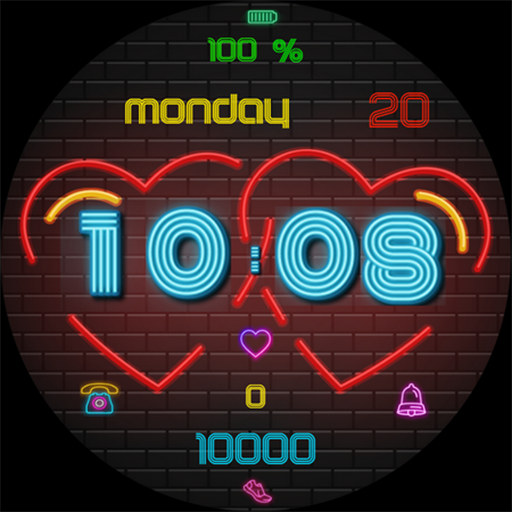 Pars Neon LoveContender
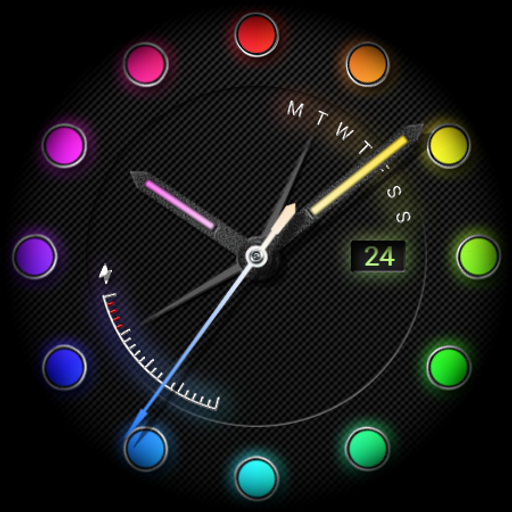 Watch face Neon PlusContender
 Triad Watch Watch FaceContender
 MD335 Hybrid watch faceContender
Unlock the head-to-head verdict: where this rival wins, and where it loses.
Access the full report for freeThe Analyst's Read
Key takeaways for Colorshift
Where is it heading?
The personalization market is consolidating around apps that offer both high-fidelity visuals and technical efficiency. Colorshift remains exposed due to its lack of updates and persistent installation bugs, which will likely continue to suppress its rating and chart performance.
- Installation failures on Galaxy Watch devices prevent user access, which directly causes the current negative review trend.
- Users report: The inclusion of a non-functional static compass leads to accusations of deceptive marketing, which damages brand trust.
The SWOT
- Hybrid analog-informational layout provides distinct aesthetic variety
- Implementing a toggle for the static compass background would improve utility
Next best moves
Audit installation handshake for Galaxy Watch devices because it is the #1 churn driver → reduce negative review volume
+ 1 more prioritized moveThe counter-intuitive read
The product's #148 rank is a liability…
Read the full takeFeature gaps
Material You design language (available in Digital Informer but absent here) +1
Since the last report: Sentiment has declined to negative, driven by critical installation failures on Galaxy Watch devices and user frustration regarding a non-functional static compass feature.
Bottom line
Colorshift must pivot from aesthetic expansion to technical stability, as installation failures and non-functional features are currently driving a negative sentiment trend. Addressing the Galaxy Watch sync issue is the only way to prevent further erosion of the user base.
Unlock 2 critical frictions, 2 market threats, 1 more prioritized move and the analyst’s take.
Access the full report for freeFAQ
Is Colorshift compatible with my Samsung Galaxy Watch?
How does Colorshift compare to Digital Informer?
Does the compass feature provide real-time orientation?
What are some free alternatives to Colorshift?
Sources
Report last updated