


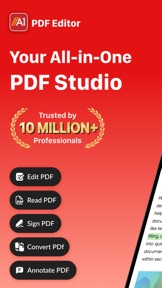


PDF Editor: Read, Scan & Sign is an all-in-one document utility for iOS that consolidates scanning, editing, and signing. It differentiates itself through a robust offline mode and high-precision Apple Pencil support. While it maintains a strong #36 Grossing rank in the US Business category, it faces stiff competition from cross-platform giants like PDFelement and new AI-driven entrants like UPDF.
The App DNA
What makes this app unique?
For Professionals, students, and mobile-first individuals needing a comprehensive document management solution with offline capabilities and Apple Pencil precision.
What does it look like?
Key features
Consolidates scanning, editing, converting, annotating, and signing into a single application.
Enables document editing without an internet connection, with automatic syncing upon reconnection.
Uses phone camera with automatic perspective correction and intelligent cropping.
How much does it cost?
The app uses a high-friction/high-reward 3-day trial to drive subscriptions. Its #36 Grossing rank suggests this model is effectively converting its current user base.
Velocity
Who built it?
Rhophi Analytics LLP
10 apps tracked · Business
 XLSX Sheets: Edit Spreadsheet
 Office Suite-Word, PDF, Sheets
 PDF Converter: Photo to PDFs
 Cleaner-phone space cleaner
 PDF Scanner App - Scan to Docs
 AI Email Writer: Mail Checker
 QR Code Reader:QR Code Maker
 A1 Drive: Cloud Storage
 Office Word:Edit Word Document
User Sentiment
What do users think recently?
How are ratings & reviews evolving?
Not enough recent reviews to extract reliable themes yet.
Read the full review analysisCompetition
Competitive landscape for PDF Editor: Read, Scan & Sign
How's the Business market?
The rivals identified

By Adobe
Both apps target professionals and students needing document digitization, but Adobe Scan captures the market via cloud-integrated OCR and AI-assisted processing that PDF Editor lacks.
- Adobe Scan provides AI-powered text recognition and summarization; PDF Editor lacks native OCR capabilities.
- Adobe Scan integrates with Adobe Document Cloud; PDF Editor operates as a standalone mobile utility.
- Adobe Scan includes a Magic Eraser tool; PDF Editor relies on manual editing workflows.
 Genius Scan - PDF ScannerContender
 Simple Scan - PDF Scanner AppContender
 PDF Scanner app - TapScannerContender
 PDFly - Reader & ViewerContender
 PDF ReaderContender
 Clear Scan - PDF Scanner AppContender
 All Document Reader:PDF ViewerContender
 PDF Reader&EditorContender

Unlock the head-to-head verdict: where this rival wins, and where it loses.
Access the full report for freeThe Analyst's Read
Key takeaways for PDF Editor: Read, Scan & Sign
Where is it heading?
- Grossing rank improved (↑3 to #36) — indicates strong monetization and user LTV.
- v1.1.77 update (April 2026) focused on UX and stability — active maintenance but no major feature expansion.
- Free rank declined (↓2 to #98) — suggests slowing organic acquisition or increased UA costs.
The SWOT
- Robust Offline Mode with auto-sync logic
- Strong monetization (#36 Grossing rank)
- Optimized Apple Pencil/iPad Pro integration
- Integration of AI assistants for document summarization
- Expansion into B2B/Team subscription models
- Global market capture via multi-language OCR support
Next best moves
Prioritize OCR (Optical Character Recognition) development.
+ 2 more prioritized movesFeature gaps
Advanced OCR (available in PDFelement) +3
Bottom line
A1 PDF Editor is a financially successful mobile utility, but it is currently a 'feature-follower' rather than a leader. To survive the shift toward AI-integrated document management, the PM must close the OCR gap and introduce document intelligence features before UPDF captures the younger demographic.
Unlock 3 critical frictions, 3 market threats, 2 more prioritized moves and the analyst’s take.
Access the full report for freeReport last updated