


bVNC Pro - VNC Screen Sharing


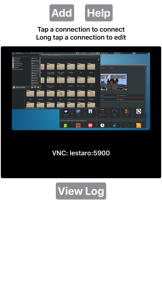
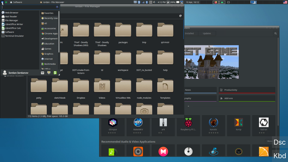
bVNC Pro is a VNC screen-sharing client designed for remote desktop access. It serves as a specialized tool for users needing to connect to various remote systems, including PiKVM devices, and is part of a broader suite of remote desktop solutions by the developer.
Overview · Full Intel report in progress
The App DNA
What makes this app unique?
For IT professionals and power users requiring remote desktop connectivity for system administration or virtual machine management.
What does it look like?
Key features
Provides remote desktop control capabilities via the VNC protocol.
Integrates with a suite of related tools including ARDP Pro for RDP and aSPICE Pro for SPICE, Proxmox, and oVirt environments.
Built on GPL open-source software, with development tracked via a public GitHub repository.
How much does it cost?
Velocity
Intense developmentShow more...
5 versions in history. Development pace: intense.
Who built it?
iordan iordanov
9 apps tracked · Productivity
 aSPICE Pro - oVirt Proxmox
 aRDP Pro - RDP Remote Desktop
 aRDP: Secure RDP Client
 bVNC: Secure VNC Viewer
 aSPICE: Secure SPICE Client
 Opaque oVirt, RHEV, Proxmox
 aRDP Pro: Secure RDP Client
 Morpheusly: Secure Connections
User Sentiment
What do users think recently?
How are ratings & reviews evolving?
Not enough recent reviews to extract reliable themes yet.
Read the full review analysisCompetition
Competitive landscape for bVNC Pro - VNC Screen Sharing
How's the Productivity market?
The rivals identified
By RealVNC
Both apps target IT professionals and power users for remote desktop access, competing directly for the same user base requiring cross-platform system administration.
- RealVNC provides automated device discovery, while bVNC Pro requires manual configuration for remote connections.
- RealVNC includes end-to-end encryption for sessions, a feature not highlighted in the bVNC Pro feature set.
- RealVNC operates on a freemium model, whereas bVNC Pro charges a flat $9.99 fee.
 TeamViewer Remote ControlContender
 Remote Desktop ManagerContender
 AnyDesk Remote DesktopContender
 Splashtop Personal for iPhoneContender
 RemotePC Remote DesktopContender
 Remoter VNC - Remote DesktopContender
 Remoter Pro (VNC, SSH & RDP)Contender
 Screens 5: VNC Remote DesktopContender


Unlock the head-to-head verdict: where this rival wins, and where it loses.
Access the full report for freeThe Analyst's Read
Key takeaways for bVNC Pro - VNC Screen Sharing
Where is it heading?
Bottom line
While functional for specific use cases like PiKVM, the app faces user reports regarding stability on newer macOS versions and limitations in authentication security.
Report last updated