



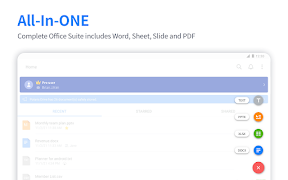


Polaris Office is an all-in-one document editing suite for Android, supporting MS Office, PDF, and various legacy file formats.
The App DNA
What makes this app unique?
Users hire the app to manage diverse document types within a single interface, reducing the need for multiple specialized productivity tools.
For Students, freelancers, and office professionals requiring multi-format document editing and AI-assisted content generation.
What does it look like?
Key features
Integrated generative AI tools for document creation, image generation, and text summarization.
On-screen drawing and annotation tools for documents and PDFs.
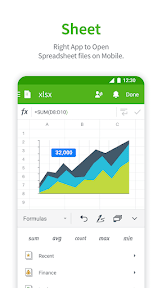
Native support for MS Office, PDF, TXT, HWP, and CSV file types.
How much does it cost?
Freemium model anchored at $3.99/month, with aggressive upselling into high-margin AI-specific subscription tiers.
Velocity
Maintenance developmentperformanceopaqueShow more...
The app currently ships at a maintenance cadence of approximately 0.33 releases per month based on the observed data. Development is focused exclusively on stability and performance improvements with no evidence of new features or live-ops content. The publisher utilizes opaque release notes, providing no insight into specific technical changes or roadmap direction. The current release pattern suggests a focus on long-term stability rather than active feature expansion.
Who built it?
Polaris Office
13+ apps tracked · Productivity
 Polaris Office - PDF & Docs
 Polaris Office - Docs & PDF
 POLARIS Office for BlackBerry
 Polaris Office Mobile
 Polaris PDF Viewer
 Polaris Viewer - PDF, Document
 POLARIS Office for Citrix
 Polaris Office for MobileIron
 PolarisOffice Tools
 Polaris Viewer+ for BlackBerry
 Polaris SecuOne-보안/스미싱/백신/폰케어
 Polaris Viewer - PDF, Office
User Sentiment
What do users think recently?
Fresh user feedback skews upset. Users appreciate core document editing functionality meets basic productivity needs for students and professionals, but report aggressive ad placement and non-closable video notifications block access to essential document files.
How are ratings & reviews evolving?
Weekly average review rating
What users say, by theme
- Core document editing functionality meets basic productivity needs for students and professionals
- Aggressive ad placement and non-closable video notifications block access to essential document files
50 of 50 recent reviews analyzed · high confidence · Upset overall
Read the full review analysisUnlock 1 more frustration theme and 1 user request, each backed by review evidence.
Access the full report for freeCompetition
Competitive landscape for Polaris Office: Edit&View, PDF
How's the Productivity market?
Polaris Office holds the #200 Grossing position in the US Productivity category, with monetization friction currently outpacing the value provided by its all-in-one utility.
Read the market outlookThe rivals identified

By Microsoft Corporation
As the industry standard for document processing, it commands the largest user base and sets the feature benchmark for mobile office suites.
- Deep integration with Microsoft 365 ecosystem provides seamless cross-device document synchronization for enterprise users.
- Advanced track-changes and collaboration tools offer a level of professional document control that lightweight suites lack.
- Native support for complex formatting and legacy document structures ensures high fidelity for corporate-grade files.


Unlock the head-to-head verdict: where this rival wins, and where it loses.
Access the full report for freeThe Analyst's Read
Key takeaways for Polaris Office: Edit&View, PDF
Where is it heading?
The productivity market is consolidating around AI-first workflows, leaving Polaris Office exposed due to its reliance on legacy file-editing utility. Technical instability and monetization friction will continue to depress ratings unless the product shifts toward a more reliable, user-centric experience.
- Persistent data-saving failures in the latest release erode user trust, which compounds the rating drag already visible on the Android platform.
- Aggressive ad-monetization that blocks core file access forces users toward competitors, accelerating churn pressure into the next quarter.
The SWOT
- 21-language library enables B2B distribution into international markets
- All-in-one file compatibility reduces app-switching costs for casual users
- Education partnerships for B2B distribution
- Integration of offline-first document workflows to bypass ad-dependency
Next best moves
Pivot ad-monetization logic because non-closable video ads block essential file access → reduce churn.
+ 1 more prioritized moveThe counter-intuitive read
The app's aggressive ad-monetization is not a failure of design but a deliberate…
Read the full takeFeature gaps
Real-time collaborative editing (available in Google Docs but absent here) +1
Since the last report: The application transitioned to a aggressive freemium monetization model while experiencing a decline in product stability and user sentiment.
Bottom line
Polaris Office holds its category lead through broad file compatibility but bleeds users to technical instability and intrusive ads, so revenue growth hinges on prioritizing data-persistence and ad-transparency over new AI features.
Unlock 3 critical frictions, 2 market threats, 1 more prioritized move and the analyst’s take.
Access the full report for freeReport last updated