


iBFD
By Tatsuo Saeki
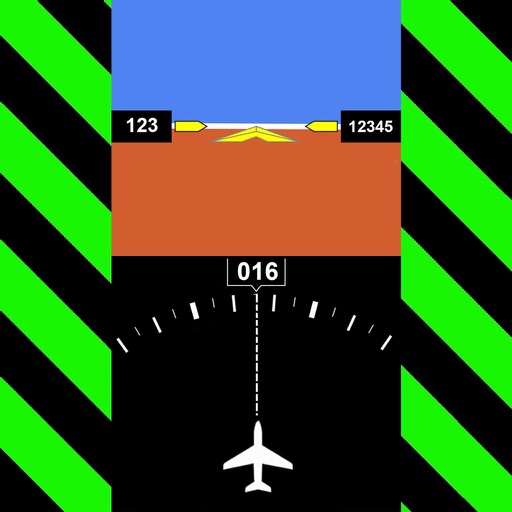
iBFD is a navigation and flight instrumentation tool designed to serve as a backup flight display for pilots during primary instrument failure. The app provides a suite of flight data indicators and includes integrated Flight Data Recorder (FDR) and Cockpit Voice Recorder (CVR) capabilities.
Overview · Full Intel report in progress
The App DNA
What makes this app unique?
For Pilots seeking an inexpensive, secondary backup solution for primary flight instrument monitoring.
What does it look like?
Key features
Provides an Attitude Indicator, Heading Indicator, Altimeter, Vertical Speed Indicator, speed indicator, side slip indicator, and clock.
Displays a map in iPad portrait mode that provides distance and direction data when an airport code is entered.
Functions as a Flight Data Recorder (FDR) and Cockpit Voice Recorder (CVR) with simple touch-based activation.
How much does it cost?
Velocity
Dormant developmentShow more...
5 versions in history. Development pace: zombie.
Who built it?

User Sentiment
What do users think recently?
How are ratings & reviews evolving?
Not enough recent reviews to extract reliable themes yet.
Read the full review analysisCompetition
Competitive landscape for iBFD
How's the Navigation market?
The rivals identified

By Levil Technology
Both apps target pilots requiring digital flight instrumentation, but Levil Aviation captures the market by integrating directly with external wireless avionics hardware like iLevil3 and B.O.M.
- Levil Aviation supports external GDL90 hardware integration, whereas iBFD relies on internal device sensors.
- Levil Aviation offers specialized modules for engine monitoring and angle of attack, which iBFD lacks.
- Levil Aviation utilizes iOS multi-tasking for side-by-side display, while iBFD operates as a standalone tool.
 Horizon Portable Glass CockpitContender
 FlightSightContender
 iEFIS LightContender
 A-EFIS Black and WhiteContender
 AirHorizon: Attitude IndicatorContender
 Aviation GPSContender
 FlyBy NavContender
 AirTrack NGContender


Unlock the head-to-head verdict: where this rival wins, and where it loses.
Access the full report for freeThe Analyst's Read
Key takeaways for iBFD
Where is it heading?
Bottom line
While marketed as a safety backup tool, user feedback highlights concerns regarding sensor accuracy and the lack of automatic screen-saver suppression.
Report last updated