


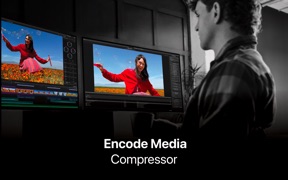
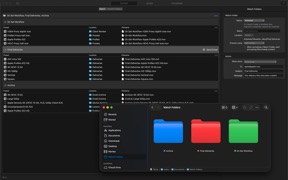


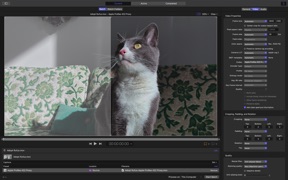
Compressor is a professional media encoding and distribution tool for macOS, designed for video editors and content creators.
The App DNA
What makes this app unique?
Users hire Compressor to ensure professional-grade format compliance and iTunes Store delivery, a job-to-be-done that requires high-fidelity hardware acceleration.
For Professional video editors and content creators requiring high-performance encoding and distribution workflows for Apple hardware and the iTunes Store.
What does it look like?
Key features
Bundled access to Compressor alongside Final Cut Pro and other creative tools via a single subscription plan.
Encodes stereoscopic spatial video for direct delivery to Apple Vision Pro.
Automates file conversion via desktop drag-and-drop droplets and folder-based watch folders.
How much does it cost?
Subscription model anchored at $12.99/month for the full creative suite, with a legacy one-time purchase option maintained for standalone users.
Velocity
Maintenance developmentplatform expansionperformanceShow more...
The app has released only one update in the last 43 days, resulting in a cadence of approximately 0.16 releases per week. This falls into the maintenance tier, as the latest release focused solely on stability and bug fixes alongside a specific feature addition for Apple Vision Pro. There is no evidence of a high-frequency release cycle or live-ops engagement strategy. Development appears focused on platform-specific support rather than iterative feature growth.
Who built it?
Jatisari Inovasi Studio
13+ apps tracked · Photo & Video
 Apple Sports
 Apple Invites
 Apple Music Classical
 Pixelmator Classic iOS
 Final Cut Camera
 Rep Dominicana Calendario 2026
 Bahrain Calendar 2026
 South African Calendar
 Pakistan Quiz Mania
 Kuis Indonesia Hebat
 Pinoy Quiz Mania
 Ukraine Calendar 2025
User Sentiment
What do users think recently?
How are ratings & reviews evolving?
Not enough recent reviews to extract reliable themes yet.
Read the full review analysisCompetition
Competitive landscape for Compressor: Encode Media
How's the Photo & Video market?
Compressor maintains a professional-grade position within the Photo & Video category, anchored by its integration with the Apple creative suite.
Read the market outlookThe rivals identified

By Geshi Inc.
This app directly challenges Compressor by offering high-volume, general-purpose video conversion and compression tools that cater to the same media-processing user base.
- Offers massive batch processing capabilities that handle high-volume file queues more efficiently than standard tools.
- Maintains a broad library of legacy format support, appealing to users working with non-standard media files.
- Provides a simplified, utility-focused interface that lowers the barrier to entry for non-professional video editors.

Unlock the head-to-head verdict: where this rival wins, and where it loses.
Access the full report for freeThe Analyst's Read
Key takeaways for Compressor: Encode Media
Where is it heading?
The professional encoding market is consolidating around hardware-accelerated workflows, and Compressor is well-positioned to defend its lead. However, the product must address the utility-gap to prevent further erosion of the casual-user base, so the PM should prioritize cross-workstation sync to solidify the professional-grade moat.
- Native Vision Pro spatial video support captures early-adopter professional workflows, securing a long-term technical lead in high-end media delivery.
- The lack of a simplified, utility-first interface allows Format Factory to capture the casual-creator segment, eroding the total addressable market over time.
The SWOT
- Apple silicon hardware acceleration provides superior encoding speeds
- iTunes Store package compliance serves as a professional distribution barrier
- Education-sector partnerships for B2B distribution
- Wearable-integration for remote encoding status monitoring
Next best moves
Ship cloud-save for batch settings because lack of sync is a professional workflow friction point → increase retention
+ 1 more prioritized moveThe counter-intuitive read
The 'pro-only' framing misses that Compressor's true moat…
Read the full takeFeature gaps
High-volume batch queue management (available in Format Factory) +1
Since the last report: The product strategy shifted toward addressing professional workflow friction and defending against utility-first competitors.
Bottom line
Compressor holds its professional lead through high-fidelity encoding and iTunes Store compliance, but it bleeds casual-creator interest to utility-first rivals, so the PM should prioritize cloud-sync for batch settings to lock in professional multi-workstation workflows.
Unlock 2 critical frictions, 2 market threats, 1 more prioritized move and the analyst’s take.
Access the full report for freeReport last updated