




Control is a Mac remote-control utility for iOS that manages media playback and system volume over a local network.
The App DNA
What makes this app unique?
The app removes the friction of installing companion server software on the Mac, serving users who prioritize privacy and local-only connectivity.
For Mac users who want to control media playback and system volume from an iOS device without installing additional server-side software.
What does it look like?
Key features
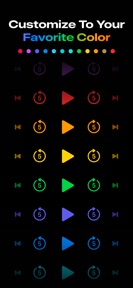
Customizable keypad for sending keyboard shortcuts and commands to any active Mac application.
Native playback and volume control for specific apps including Music, TV, VLC, and IINA without companion software.
Direct communication between iOS and macOS over local network, bypassing internet-based relay servers.
How much does it cost?
The app operates as a free utility with no monetization, prioritizing user privacy and developer utility.
Velocity
Maintenance developmentUX improvementsnew contentShow more...
With only one release in the observed window and a last update occurring 32 days ago, the app operates on a maintenance-focused cadence. Development is currently centered on enhancing core utility and user guidance for macOS integration. The latest version demonstrates a commitment to feature refinement rather than rapid iteration. Future updates are expected to continue this pattern of occasional, targeted functional improvements.
Who built it?
User Sentiment
What do users think recently?
Recent user voice shows a thrilled sentiment. Users appreciate the application provides a highly effective solution for users seeking remote control functionality for their desktop environment and users appreciate the ability to manage music playback remotely while engaged in domestic tasks like cooking or crafting.
How are ratings & reviews evolving?
What users say, by theme
- The application provides a highly effective solution for users seeking remote control functionality for their desktop environment
- Users appreciate the ability to manage music playback remotely while engaged in domestic tasks like cooking or crafting
2 of 2 recent reviews analyzed · limited sample
Read the full review analysisCompetition
Competitive landscape for Control - Mac Remote Control
How's the Utilities market?
Control occupies a specialized niche in the Utilities category, focusing on local-network media management. Its zero-cost, privacy-first model differentiates it from subscription-based remote desktop rivals.
Read the market outlookThe rivals identified
Unlock the deeper market read.
Access the full report for freeThe Analyst's Read
Key takeaways for Control - Mac Remote Control
Where is it heading?
The category for remote-control utilities is consolidating around cross-platform, cloud-enabled solutions. Control remains advantaged in the privacy-conscious segment, but the lack of companion-app functionality limits its reach, necessitating a focus on app-compatibility to maintain relevance.
- The latest release added a customizable keyboard control pane, signaling active feature investment rather than maintenance-only status.
- The local-network-only architecture limits the addressable market to domestic users, capping potential growth compared to cloud-based remote desktop utilities.
The SWOT
- Local-network connection removes internet-based latency and privacy risks
- Customizable keyboard pane enables control over any Mac application
- Expansion into advanced system-level automation could capture power users seeking more than basic media playback
Next best moves
Ship deep-link support for third-party media apps because users request broader app compatibility → increase utility for non-standard media players
+ 1 more prioritized moveThe counter-intuitive read
The lack of a companion app is not…
Read the full takeSince the last report: Control has transitioned from a passive maintenance state to a more active strategic posture, clarifying its competitive differentiation against remote-desktop software and identifying specific paths for feature expansion.
Bottom line
Control's privacy-first, serverless architecture retains core users who prioritize local-only connectivity. Investing in broader app compatibility would unlock the utility for a wider range of power users, securing the app's position against more complex remote-desktop alternatives.
Unlock 2 critical frictions, 1 market threat, 1 more prioritized move and the analyst’s take.
Access the full report for freeFAQ
Does Control require installing software on my Mac?
Is Control free to use?
What apps can I control with Control?
What is the difference between Control and remote desktop apps?
Sources
- [1] App Store listing, source
Report last updated