

Convert DOC/DOCX to PDF
By Tu Phan
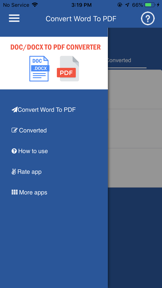
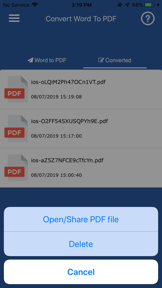
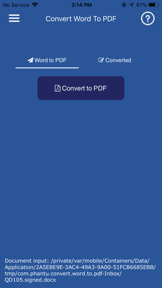

Convert DOC/DOCX to PDF is a free productivity utility for iOS that converts legacy and current Microsoft Word documents into PDF files.
The App DNA
What makes this app unique?
The app removes the friction of font display errors for international users who need to secure documents without desktop software.
For Users needing to convert legacy or current Microsoft Word documents into PDF format for document security and consistent display.
What does it look like?
Key features
Converts Microsoft Word documents to PDF format, supporting versions from 2003 through 2016.
Includes built-in Unicode, Indian, Arabic, Brazil, and special font sets to prevent display errors.
Allows users to locate and select documents by name within the app interface.
How much does it cost?
The app operates as a free utility, relying on an internet connection for cloud-based conversion processing.
Velocity
Dormant developmentopaqueShow more...
The app has reached a zombie state, with no updates or feature releases in the last 1003 days. The development history is limited to a single minor release focused on basic functionality fixes. There is no evidence of ongoing maintenance or active development cycles.
Who built it?
Tu Phan
13+ apps tracked · Productivity
 Rain Sounds - Sleep Relax
 Convertir PDF a Word
 AI Clothe Changer - AI Outfit
 Let's Meditate Guided Meditate
 Convert PDF to JPG,PDF to PNG
 PDF to Epub Converter
 Convert pdf to excel
 Convert PDF to AutoCad
 Xem ngay tot xau 2020
 Top nine - Get best nine
 Learn English Audio Story 2019
 Convert XPS to PDF
User Sentiment
What do users think recently?
Review voice lately leans excited. Users appreciate the core file conversion functionality provides a reliable utility for users who need to move away from desktop software.
How are ratings & reviews evolving?
What users say, by theme
- The core file conversion functionality provides a reliable utility for users who need to move away from desktop software
- Aggressive promotional tactics force users to download unrelated applications instead of providing the core service
5 of 5 recent reviews analyzed · limited sample
Read the full review analysisUnlock 1 more frustration theme and 1 user request, each backed by review evidence.
Access the full report for freeCompetition
Competitive landscape for Convert DOC/DOCX to PDF
How's the Productivity market?
Convert DOC/DOCX to PDF holds a #80 Grossing rank in its category. The gap between its high store rating and modest grossing rank signals that the current ad-heavy monetization model fails to capture significant value from its user base.
Read the market outlookThe rivals identified
Unlock the deeper market read.
Access the full report for freeThe Analyst's Read
Key takeaways for Convert DOC/DOCX to PDF
Where is it heading?
The market for document conversion is consolidating around apps that offer local processing and cleaner interfaces. Convert DOC/DOCX to PDF remains exposed due to its reliance on cloud-based conversion and aggressive ad funnels, which will likely accelerate churn as users seek faster, non-promotional alternatives.
- The latest release resolved a critical file conversion failure, leading to improved ratings in recent reviews.
- Aggressive promotional tactics prioritize third-party app downloads over core utility, creating a significant churn risk for new users.
The SWOT
- Multi-language font library functions as a distribution barrier into international segments.
- Implement native tablet scrolling to improve conversion efficiency for iPad users.
Next best moves
Deprecate third-party promotional funnels because they are the top-cited complaint theme → increase session retention
+ 1 more prioritized moveThe counter-intuitive read
The app's dormant release cadence is not a…
Read the full takeBottom line
Convert DOC/DOCX to PDF provides a functional conversion utility, but the reliance on aggressive third-party promotions erodes user trust and retention. Pivoting to a cleaner user experience would stabilize the user base and mitigate the churn risk currently driving negative sentiment.
Unlock 2 critical frictions, 1 market threat, 1 more prioritized move and the analyst’s take.
Access the full report for freeFAQ
Is Convert DOC/DOCX to PDF free to use?
Does the app work without an internet connection?
Are there better alternatives for document conversion?
Sources
- [1] App Store
Report last updated