


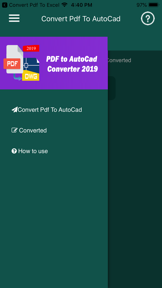


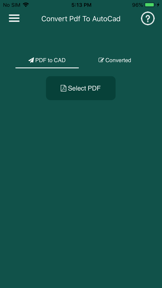

Convert PDF to AutoCad is a productivity tool for iOS that extracts vector geometry from PDF files into editable DWG drawings.
The App DNA
What makes this app unique?
It removes the manual labor of redrawing PDF plans, though the current implementation is hindered by technical instability and aggressive ad overlays.
For AutoCAD users and designers who need to convert existing PDF plans into editable CAD files.
What does it look like?
Key features
Converts vector-based PDF files into editable DWG drawings containing text, lines, polylines, splines, and images.
Processes PDF geometry to allow individual lines and arcs to be moved or edited within the resulting DWG file.
How much does it cost?
The app is listed as free, though reviews allege that paid ad removal is ineffective.
Velocity
Dormant developmentopaqueShow more...
The app has reached a zombie state, with no updates recorded in the last 978 days. Development activity has ceased entirely, leaving the app without functional improvements or maintenance for over two and a half years. There is no evidence of ongoing support or feature development.
Who built it?
Tu Phan
13+ apps tracked · Productivity
 Rain Sounds - Sleep Relax
 Convertir PDF a Word
 AI Clothe Changer - AI Outfit
 Let's Meditate Guided Meditate
 Convert PDF to JPG,PDF to PNG
 PDF to Epub Converter
 Convert pdf to excel
 Xem ngay tot xau 2020
 Convert DOC/DOCX to PDF
 Learn English Audio Story 2019
 Convert XPS to PDF
 PDF Compressor - Compress PDF
User Sentiment
What do users think recently?
Review voice lately leans upset. Users appreciate file conversion speed allows users to transform documents into the required format within seconds.
How are ratings & reviews evolving?
What users say, by theme
- File conversion speed allows users to transform documents into the required format within seconds
- Persistent technical failures prevent file conversion and trigger error messages across multiple device types
14 of 14 recent reviews analyzed · moderate confidence · Upset overall
Read the full review analysisUnlock 2 more frustration themes, each backed by review evidence.
Access the full report for freeCompetition
Competitive landscape for Convert PDF to AutoCad
How's the Productivity market?
Convert PDF to AutoCad maintains a 4.46 rating across 68 total ratings, yet the recent 14-review sample shows a terrible sentiment trend. The 32-month development gap signals a lack of competitive investment in the productivity space.
Read the market outlookThe rivals identified
Unlock the deeper market read.
Access the full report for freeThe Analyst's Read
Key takeaways for Convert PDF to AutoCad
Where is it heading?
The productivity market for CAD conversion is shifting toward cloud-based, high-reliability services that offer consistent performance. Convert PDF to AutoCad remains exposed due to its 32-month update gap and critical functional failures, which will likely lead to continued user attrition.
- Persistent conversion failures trigger error messages, which erodes the core value proposition and drives negative sentiment among this app designer audience.
- Users report: Deceptive monetization reports regarding ineffective ad removal create a high churn risk and damage the brand reputation among long-term users.
The SWOT
- Vector-to-DWG extraction logic provides specialized utility for CAD workflows
- Implementing a stable, ad-free subscription tier could capture users frustrated by current deceptive monetization
Next best moves
Audit the conversion engine logic because persistent failures are the primary churn driver → restore core utility
+ 1 more prioritized moveThe counter-intuitive read
The 32-month development silence is the primary feature…
Read the full takeBottom line
Users report: Technical failures and deceptive ad placement are currently destroying the utility of Convert PDF to AutoCad, requiring an immediate audit of the conversion engine to prevent total abandonment by the target user base.
Unlock 2 critical frictions, 1 market threat, 1 more prioritized move and the analyst’s take.
Access the full report for freeFAQ
Is Convert PDF to AutoCad reliable for professional design work?
Does the app remove ads if I pay for it?
What are some alternatives to Convert PDF to AutoCad?
Sources
Report last updated