


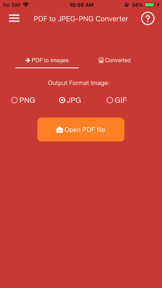
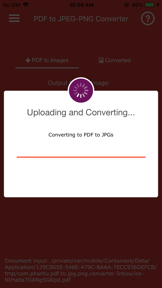
PDF to JPG/PNG Converter is a free utility for iOS that converts PDF pages to images and extracts embedded assets.
The App DNA
What makes this app unique?
The app removes the financial and cognitive friction of subscription-based document tools for users needing occasional, high-quality file conversion.
For Students and professionals requiring offline PDF-to-image conversion on mobile devices.
What does it look like?
Key features
Converts individual PDF pages into high-quality JPG or PNG image files.
Extracts original images embedded within PDF files without quality loss.
Packages multi-page PDF conversions into a single ZIP file for storage and sharing.
How much does it cost?
The app operates as a free utility with no visible monetization gates in the current store metadata.
Velocity
Maintenance developmentperformanceShow more...
The app is currently in a maintenance phase, with only one release recorded in the analyzed window. With the latest update occurring 73 days ago, the development cadence is infrequent and focused solely on performance and stability. There is no evidence of new feature development or live operations, indicating a stable but stagnant product lifecycle.
Who built it?
Tu Phan
11 apps tracked · Photo & Video
 Rain Sounds - Sleep Relax
 Convertir PDF a Word
 AI Clothe Changer - AI Outfit
 Let's Meditate Guided Meditate
 PDF to Epub Converter
 Convert pdf to excel
 Learn English Audio Story 2019
 Convert XPS to PDF
 comprimir archivo pdf
 Obd2 Codes List
User Sentiment
What do users think recently?
How are ratings & reviews evolving?
Not enough recent reviews to extract reliable themes yet.
Read the full review analysisCompetition
Competitive landscape for Convert PDF to JPG,PDF to PNG
How's the Photo & Video market?
PDF to JPG/PNG Converter occupies a niche free-utility space on iOS, relying on simplicity to maintain a 4.65 rating across 766 reviews. The absence of monetization signals a focus on user acquisition over revenue, which differentiates it from the subscription-heavy category norm.
Read the market outlookThe rivals identified
Unlock the deeper market read.
Access the full report for freeThe Analyst's Read
Key takeaways for Convert PDF to JPG,PDF to PNG
Where is it heading?
The PDF utility market is consolidating around system-level tools and high-frequency subscription apps. PDF to JPG/PNG Converter remains stable due to its free, no-nonsense value proposition, but it faces long-term churn risk if it fails to integrate with modern cloud-storage workflows.
- The 73-day release cadence indicates a maintenance-only posture, which limits the ability to respond to iOS system updates.
- The free, ad-free model sustains a high rating, which keeps the app visible in a crowded utility category.
The SWOT
- Zero-cost model removes friction for casual users
- Embedded image extraction enables asset recovery
- Automatic ZIP packaging reduces file management overhead
- Integration with Files app could improve UX
- Batch processing improvements could capture power users
Next best moves
Audit Files app integration because local storage is a top friction point → increase conversion utility
The counter-intuitive read
The lack of monetization is not a weakness but a defensive barrier…
Read the full takeSince the last report: The app's competitive assessment shifted from a focus on monetization to a more granular analysis of platform-level threats and integration gaps. The core product remains in a maintenance-only state with no functional changes.
Bottom line
PDF to JPG/PNG Converter provides a clean, free utility for document extraction, but the lack of a monetization strategy and slow update cadence leaves the app vulnerable to OS-level feature expansion.
Unlock 3 critical frictions, 2 market threats and the analyst’s take.
Access the full report for freeFAQ
Is PDF to JPG/PNG Converter free to use?
Does this app support cloud storage integration?
Can I extract images from a PDF using this app?
Sources
- [1] App Store listing, source
Report last updated