


Converter - Format Converter




Converter is a file format conversion utility for images, audio, and video on iOS.
The App DNA
What makes this app unique?
The app removes the friction of manual file re-encoding by providing local batch processing tools.
For Users requiring quick file format changes for images, audio, or video files on mobile devices.
What does it look like?
Key features
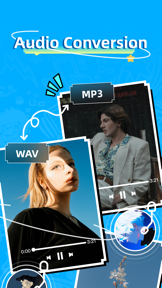
Supports conversion between image, audio, and video formats including JPEG, PNG, MP3, WAV, MP4, and AVI
Processes multiple files simultaneously to reduce manual input time
Allows users to adjust specific parameters for complex file conversion needs
How much does it cost?
Converter is listed as free with no identified subscription or in-app purchase tiers.
Velocity
Dormant developmentperformanceShow more...
Converter has seen no development activity for 953 days. The last release focused exclusively on minor performance improvements and defect repairs. Given the lack of updates for more than 12 months, the app is classified as a zombie project with no evidence of ongoing maintenance or feature development.
Who built it?
Huizhou Yimo Technology Co.
4 apps tracked · Productivity
 Prayer Beads - Wooden Fish
 Password Vault pro
 Remove Master - Album Cleaner
User Sentiment
What do users think recently?
How are ratings & reviews evolving?
Not enough recent reviews to extract reliable themes yet.
Read the full review analysisCompetition
Competitive landscape for Converter - Format Converter
How's the Productivity market?
Converter holds a 4.625 rating across 24 ratings on iOS. The lack of updates for over 950 days positions it as a legacy utility rather than a competitive market participant.
Read the market outlookThe rivals identified
Unlock the deeper market read.
Access the full report for freeThe Analyst's Read
Key takeaways for Converter - Format Converter
Where is it heading?
The file conversion market is shifting toward cloud-based, subscription-funded services that offer broader format support and cross-device sync. Converter's lack of development cadence leaves it exposed to these modern entrants, and the app will likely see declining relevance as its feature set remains static.
- The 31-month update gap indicates a lack of active investment, which will accelerate user churn as OS requirements evolve.
The SWOT
- Custom conversion settings provide granular control over output parameters
- Cloud-storage integration would address cross-platform file friction
Next best moves
Audit OS compatibility because the app has not shipped a release in 953 days → prevent sudden store removal
The counter-intuitive read
Converter's maintenance-only state is its only defensive mechanism: by not changing…
Read the full takeBottom line
Converter remains a functional legacy utility, but the 31-month development silence makes it a high-risk asset. The lack of investment suggests that Converter will continue to lose ground to active, cloud-integrated rivals.
Unlock 1 critical friction, 1 market threat and the analyst’s take.
Access the full report for freeFAQ
Is Converter free to use?
Does Converter support video file conversion?
Is Converter still being updated?
Sources
- [1] App Store
Report last updated