


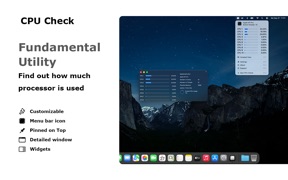




CPU Check is a macOS utility designed to monitor real-time processor usage through the application interface and notification center widgets. It provides granular visibility into total system load or individual core performance, supporting various Mac hardware configurations. The app is marketed toward creative professionals and engineers who require performance monitoring during resource-intensive tasks.
Overview · Full Intel report in progress
The App DNA
What makes this app unique?
For Professional creative users, video editors, and engineers who need to monitor CPU performance during intensive computational workflows.
What does it look like?
Key features
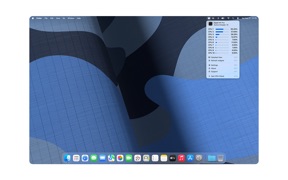
Displays total CPU usage or individual processor core activity in real time.
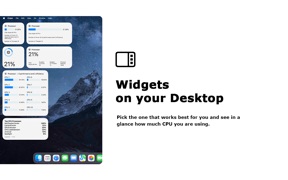
Provides customizable widgets in small, medium, and large sizes for quick system status checks.
Supports Light Mode and Dark Mode with options to display data as a single total usage bar or individual core bars.
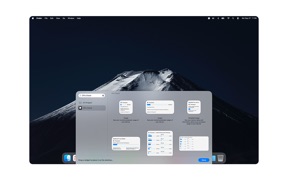
Allows users to select up to 9 widgets to monitor specific processor metrics on the screen.
How much does it cost?
Velocity
Intense developmentShow more...
5 versions in history. Development pace: intense.
Who built it?
Stefan Van Damme
13+ apps tracked · Utilities
 Zoom for Safari
 Turn Off the Lights for Safari
 Turn Off the Lights for Mobile
 Full Screen for Safari
 Aerial View Tab for Safari
 Date Today
 Hard Disk - Monitor Disk Usage
 Finance Toolbar - Stock Ticker
 Proper Menubar for Safari
 Print for Safari
 Home Tab for Safari
 Rotate that Video Player
User Sentiment
What do users think recently?
How are ratings & reviews evolving?
Not enough recent reviews to extract reliable themes yet.
Read the full review analysisCompetition
Competitive landscape for CPU Check - Monitor CPU Usage
How's the Utilities market?
The rivals identified
The Analyst's Read
Key takeaways for CPU Check - Monitor CPU Usage
Where is it heading?
Bottom line
While the app offers a straightforward interface for tracking CPU load, user feedback highlights ongoing challenges regarding UI responsiveness and core count scaling.
Report last updated