


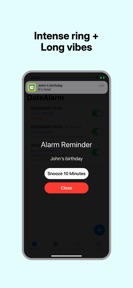
DateAlarm is a privacy-focused reminder utility for tracking personal dates and schedules on iOS.
The App DNA
What makes this app unique?
It removes the cognitive friction of complex cloud-based reminder apps by keeping all data local to the device.
For Individuals seeking a simple, privacy-focused tool to track personal schedules, birthdays, and project deadlines.
What does it look like?
Key features
Configurable alarms for future dates and recurring events.
Data persistence handled locally without cloud synchronization.
Automated organization of reminders based on event type.
How much does it cost?
The app is currently offered as a free utility with no visible subscription or IAP gates.
Velocity
Active developmentopaqueperformanceShow more...
The app maintains an active development cadence, shipping two releases in the last seven days. Despite this frequent update cycle, the release notes remain opaque, offering no insight into specific feature additions or technical improvements. This pattern suggests the developer may be utilizing server-side feature flags or A/B testing rather than traditional App Store feature deployments. The development trend is currently stable, with a focus on consistent, albeit non-descript, build delivery.
Who built it?
亦彬 潘
3 apps tracked · Utilities
 ImageZipper: Photo to ZIP
 Floatory: Floating Clock PiP
User Sentiment
What do users think recently?
Recent user voice shows a thrilled sentiment. Users appreciate the simple and clean interface allows users to set alarms for specific dates without unnecessary complexity and integration with calendar applications allows users to sync alarms across multiple devices for better organization.
How are ratings & reviews evolving?
What users say, by theme
- The simple and clean interface allows users to set alarms for specific dates without unnecessary complexity
- Integration with calendar applications allows users to sync alarms across multiple devices for better organization
- Affordable lifetime license pricing provides high value for users seeking a reliable alarm utility
- Lack of native cross-device synchronization prevents alarms from appearing on all user hardware simultaneously
6 of 6 recent reviews analyzed · limited sample · Thrilled overall
Read the full review analysisUnlock 1 user request, each backed by review evidence.
Access the full report for freeCompetition
Competitive landscape for DateAlarm - Reminder Alarm
How's the Utilities market?
DateAlarm maintains a 4.89-star rating across 44 total ratings, positioning itself as a niche, high-satisfaction utility. The lack of monetization signals suggests a focus on user acquisition through simplicity rather than immediate revenue extraction.
Read the market outlookThe rivals identified
Unlock the deeper market read.
Access the full report for freeThe Analyst's Read
Key takeaways for DateAlarm - Reminder Alarm
Where is it heading?
The utility market is increasingly dominated by integrated, cross-platform reminder solutions that leverage cloud ecosystems. DateAlarm remains stable due to its privacy-first, local-only design, but the lack of sync will eventually limit its growth to a narrow, privacy-conscious segment.
- High user satisfaction (4.89 stars) indicates the current minimalist feature set meets the core needs of the target audience.
- Lack of cross-device synchronization creates a churn risk as users migrate to more integrated calendar solutions.
The SWOT
- Local storage architecture builds trust for users prioritizing data sovereignty.
- Minimalist interface design reduces setup friction for date-specific scheduling.
- Calendar integration enables alarms to sync with existing daily routines.
- Implementing iCloud synchronization would address the top-requested feature from the current user base.
Next best moves
Ship iCloud synchronization because it is the top-requested feature in reviews → increase retention.
The counter-intuitive read
Users report: The lack of cloud sync is…
Read the full takeBottom line
DateAlarm retains a loyal base through its privacy-first design, but the lack of cross-device sync creates a ceiling on its utility. Implementing iCloud support would unlock the primary barrier to higher retention.
Unlock 2 critical frictions, 1 market threat and the analyst’s take.
Access the full report for freeFAQ
Is DateAlarm safe for my personal data?
Does DateAlarm sync with my other devices?
Is DateAlarm a good alternative to standard calendar apps?
Sources
- [1] App Store, source
Report last updated