


Desktop Presentation Remote
By Z-Systems

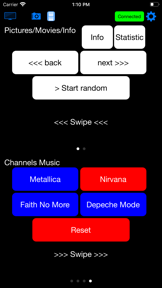
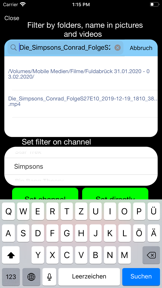
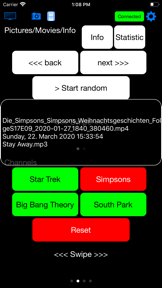
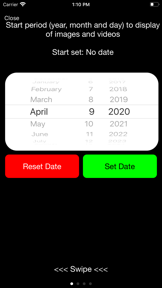
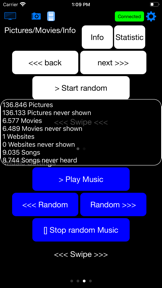
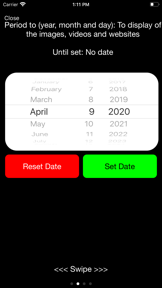
Desktop Presentation Remote is a utility app for iOS that enables remote control of local media libraries on Macintosh computers over a WLAN connection.
The App DNA
What makes this app unique?
The app removes the physical friction of navigating a desktop interface when browsing local photo and movie collections from a distance.
For Macintosh users seeking a remote control interface for managing local media libraries, photos, and websites.
What does it look like?
Key features
Controls playback for photos, movies, and music on a connected Macintosh within the same WLAN.
Enables randomized, high-speed slideshows for photo viewing, acting as a retention lever.
Allows users to set search terms to specific channels for quick access to preferred media.
How much does it cost?
The app is free to use, with monetization likely tied to the primary Mac application in the Mac App Store.
Velocity
Dormant developmentUX improvementsperformanceShow more...
Desktop Presentation Remote has been inactive for 2,360 days, indicating the project is no longer receiving updates. The last release provided basic feature additions such as dark mode support and improved connection status, but no development activity has been recorded since. The app is currently in a zombie state with no evidence of ongoing maintenance or support.
Who built it?
User Sentiment
What do users think recently?
How are ratings & reviews evolving?
Not enough recent reviews to extract reliable themes yet.
Read the full review analysisCompetition
Competitive landscape for Desktop Presentation Remote
How's the Entertainment market?
Desktop Presentation Remote occupies a specialized utility niche in the Entertainment category with no recent store ranking activity. The lack of updates for over 2,300 days signals a product in maintenance mode, limiting its ability to compete with modern streaming-centric media controllers.
Read the market outlookThe rivals identified
Unlock the deeper market read.
Access the full report for freeThe Analyst's Read
Key takeaways for Desktop Presentation Remote
Where is it heading?
The market for local media controllers is contracting as users migrate to cloud-based streaming platforms. Desktop Presentation Remote is positioned for obsolescence due to a lack of active development, which will eventually render it incompatible with current iOS and macOS versions.
- The 2,300-day update gap confirms the app is in maintenance mode, which will lead to eventual OS incompatibility and user churn.
- The broader market shift toward cloud-based streaming services makes local-media-only controllers increasingly obsolete, limiting the potential for future user acquisition.
The SWOT
- Channel-based browsing reduces time-to-content for recurring media habits
- Modern cross-platform alternatives could capture the local media management segment
Next best moves
Sunset the mobile remote interface because the 6-year update gap indicates no path to feature parity with modern streaming apps → reduce support overhead
The counter-intuitive read
The lack of updates is not a failure…
Read the full takeBottom line
Desktop Presentation Remote remains a legacy utility for local media management that has effectively reached its end-of-life. Sunset the application to focus resources on modern, cloud-integrated media solutions that align with current user consumption habits.
Unlock 1 critical friction, 1 market threat and the analyst’s take.
Access the full report for freeFAQ
Is Desktop Presentation Remote still supported?
Does Desktop Presentation Remote work with streaming services?
What is a modern alternative to Desktop Presentation Remote?
Sources
- [1] App Store
Report last updated