


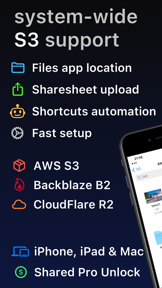

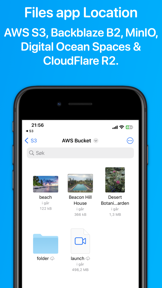

S3 Client integrates S3-compatible storage directly into the native Files app and Finder, allowing users to manage cloud files as if they were local. Developed by the creator of Working Copy, it enables on-demand file access, automatic synchronization, and seamless integration with services like AWS S3, BackBlaze B2, and CloudFlare R2.
Overview · Full Intel report in progress
The App DNA
What makes this app unique?
For Power users and professionals who require direct, native file system access to S3-compatible cloud storage across Apple devices.
What does it look like?
Key features
Mounts S3 buckets directly within the Files app and Finder for seamless file management.
Downloads files on demand and automatically synchronizes local modifications back to the S3 bucket.
Supports uploading files via the system share sheet on iOS and the Services menu on macOS.
Generates temporary access links for files directly from the file browser for up to seven days.
Includes support for server-side encryption with customer-provided keys (SSE-C).
How much does it cost?
Velocity
Intense developmentShow more...
5 versions in history. Development pace: intense.
Who built it?
Anders Borum ApS
3 apps tracked · Productivity
 Source Files: Git Storage
 FTP Client - Files location
User Sentiment
What do users think recently?
How are ratings & reviews evolving?
Not enough recent reviews to extract reliable themes yet.
Read the full review analysisCompetition
Competitive landscape for S3 Client - Files location
How's the Productivity market?
The rivals identified
The Analyst's Read
Key takeaways for S3 Client - Files location
Where is it heading?
Bottom line
This app provides a native, file-system-level interface for S3 storage, prioritizing workflow integration over a standalone dashboard.
Report last updated