






DraftPlanar is a hardware-accelerated PDF viewer and markup tool for iPad, iPhone, and Mac, designed for architects and engineers.
The App DNA
What makes this app unique?
Users hire DraftPlanar to perform high-speed, offline document review and measurement on large blueprints without the latency of standard PDF readers.
For Architects, engineers, contractors, and project managers requiring high-performance, offline-capable plan review and markup tools.
What does it look like?
Key features
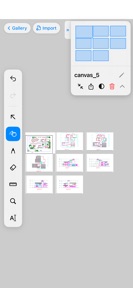
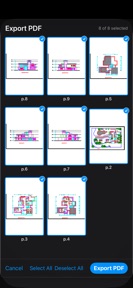
Allows side-by-side viewing of multiple documents, blueprints, and reference images on one workspace.
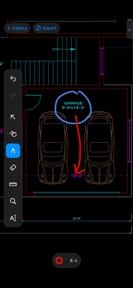
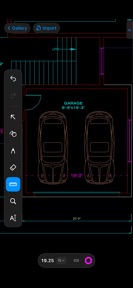
Calibrates PDF scale and snaps to vector geometry for dimensioning, gated behind Pro.
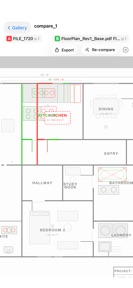
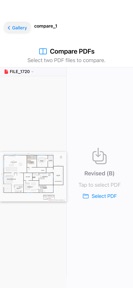
Overlays two document revisions to visually highlight structural differences, gated behind Pro.
How much does it cost?
Freemium model provides a high-performance free viewer to drive adoption, while gating professional-grade measurement, comparison, and OCR tools behind Pro subscriptions.
Velocity
Maintenance developmentUX improvementsperformanceShow more...
DraftPlanar: PDF Plan Viewer currently operates at a maintenance cadence, with only one version released in the observed window. The latest update focuses on utility, specifically adding image editing tools and enhanced paper detection algorithms. Development appears stable but infrequent, prioritizing core document processing features over rapid iteration or live-service content. Future updates are expected to follow this pattern of occasional feature-rich releases.
Who built it?
User Sentiment
What do users think recently?
How are ratings & reviews evolving?
Not enough recent reviews to extract reliable themes yet.
Read the full review analysisCompetition
Competitive landscape for DraftPlanar: PDF Plan Viewer
How's the Productivity market?
DraftPlanar occupies the high-performance niche of the Productivity category, leveraging Metal-native rendering to differentiate from standard PDF readers. The current 5-star rating on the initial release signals strong early-adopter satisfaction, though the lack of cloud-sync features limits its competitiveness against team-based project management tools.
Read the market outlookThe rivals identified
Unlock the deeper market read.
Access the full report for freeThe Analyst's Read
Key takeaways for DraftPlanar: PDF Plan Viewer
Where is it heading?
The professional PDF markup market is shifting toward collaborative, cloud-integrated workflows that allow real-time team feedback. DraftPlanar's current technical lead in rendering performance provides a strong foundation, but it must pivot toward cloud-sync to remain relevant for project managers who require team-wide document consistency.
- The latest release added an image editor and improved document detection, showing active feature investment rather than maintenance-mode stagnation.
- The current offline-only architecture serves individual professionals well but limits the app's potential to compete with team-based project management platforms.
The SWOT
- Metal-native rendering maintains 60 FPS on 500+ page documents
- Infinite canvas workspace enables multi-document workflows
- 100% offline-first architecture removes job-site connectivity dependency
- Integration with industry-standard BIM software could expand B2B reach
- Wearable companion app for on-site quick-viewing
Next best moves
Ship cloud-sync for project files because lack of collaboration is the primary barrier to B2B adoption → increase enterprise retention
The counter-intuitive read
The app's offline-first architecture is a feature for job-site reliability…
Read the full takeSince the last report: The analysis shifted from viewing the app as a standalone high-performance tool to identifying cloud-sync as a necessary pivot for enterprise competitiveness.
Bottom line
DraftPlanar delivers superior rendering performance for individual architects, but the lack of cloud-based collaboration limits its professional utility, so the PM should prioritize team-sync features to capture enterprise-grade project management workflows.
Unlock 3 critical frictions, 2 market threats and the analyst’s take.
Access the full report for freeSources
- [1] App Store, source
Report last updated