


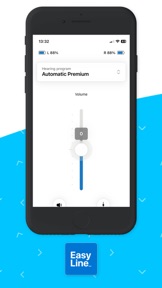
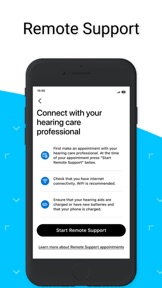
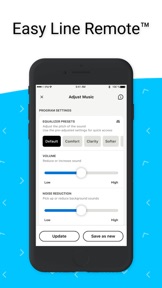
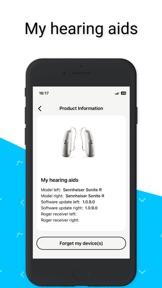
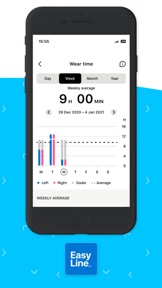
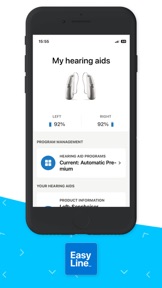
Easy Line Remote is a companion utility for Sonova hearing aids that enables sound customization and remote professional support on iOS and Android.
The App DNA
What makes this app unique?
The app removes the need for in-person clinic visits for routine device adjustments, providing users with immediate control over their hearing experience.
For Users of Kirkland Signature and Phonak hearing aids requiring remote professional support and device customization.
What does it look like?
Key features
Live video call interface for remote hearing aid adjustments by a professional; acts as a B2B distribution hook for Costco/Kirkland Signature hardware.
Adjustable sliders for bass, middle, and treble frequencies plus preset sound profiles; drives retention by increasing daily device interaction.
Monitors steps, wearing time, and activity levels; creates a daily engagement loop that reinforces device wear.
How much does it cost?
The app functions as a value-add utility for hardware owners with no direct monetization.
Velocity
Maintenance developmentperformanceopaqueShow more...
Easy Line Remote maintains a maintenance-level cadence, with only one version released in the observed window. The latest release, which occurred 66 days ago, focused exclusively on generic bug fixes and performance stability. There is no evidence of new feature development or live operations. The development trend is stable at a low-frequency, maintenance-only pace.
Who built it?
Sonova AG
12 apps tracked · Medical
 myPhonak
 myAudioNova
 GEERS
GEERS myRogerMic
 Easy Line Remote
 Hearing Remote
 myPhonak Junior
 Unitron Remote Plus
 Hearing Remote
 HANSATON stream remote
 Unitron Remote Plus
User Sentiment
What do users think recently?
Recent user voice shows a frustrated sentiment. Users appreciate remote adjustment capabilities allow users to manage hearing aid volume without visiting a clinic, but report frequent bluetooth connection drops prevent users from controlling hearing aids during daily activities.
How are ratings & reviews evolving?
What users say, by theme
- Remote adjustment capabilities allow users to manage hearing aid volume without visiting a clinic
- Frequent Bluetooth connection drops prevent users from controlling hearing aids during daily activities
82 of 99 recent reviews analyzed · high confidence · Frustrated overall
Read the full review analysisUnlock 2 more frustration themes and 2 user requests, each backed by review evidence.
Access the full report for freeCompetition
Competitive landscape for Easy Line Remote
How's the Medical market?
Easy Line Remote holds a 4.3-star rating across 21,630 total ratings, serving as a specialized utility for Sonova hardware owners. The lack of direct monetization confirms its role as a retention mechanism rather than a revenue-generating product.
Read the market outlookThe rivals identified
Unlock the deeper market read.
Access the full report for freeThe Analyst's Read
Key takeaways for Easy Line Remote
Where is it heading?
The market for hearing aid companion apps is shifting toward higher reliability and seamless integration with mobile OS audio controls. Easy Line Remote's maintenance-only cadence leaves it exposed, as persistent technical friction in the latest version continues to drive negative sentiment and user frustration.
- Frequent Bluetooth connection drops prevent users from controlling hearing aids, which erodes the daily active habit and increases churn risk.
- The latest update fails to resolve persistent loading issues, causing users to report that the app hangs on launch.
The SWOT
- Proprietary remote-adjustment interface functions as a B2B distribution barrier for Sonova hardware
- Integration with third-party health platforms would increase the value of the existing health-tracking engagement loop
Next best moves
Ship a fix for Bluetooth connection stability because it is the #1 complaint theme → improve daily active habit
+ 1 more prioritized moveThe counter-intuitive read
The app's technical instability is a retention risk…
Read the full takeSince the last report: The app's competitive posture remains defined by persistent technical instability, with no functional updates to address core connectivity complaints. The primary change is the formalization of supported hardware models in the FAQ and a shift in the strategic assessment of how technical failures impact user behavior.
Bottom line
Prioritizing connectivity stability is essential to prevent users from abandoning the app for manual hardware controls, as persistent technical regressions currently threaten the app's utility.
Unlock 1 critical friction, 1 market threat, 1 more prioritized move and the analyst’s take.
Access the full report for freeSources
- [1] App Store, source
Report last updated