


FileCentral for iPhone is a file management utility that aggregates cloud storage and enables local network transfers for iOS users.
The App DNA
What makes this app unique?
The app removes the friction of switching between multiple cloud storage services by providing a single, secure interface for all file operations.
For Business professionals and power users who need to manage, print, and transfer files across multiple cloud services and local devices.
What does it look like?
Key features
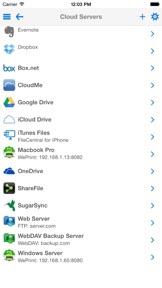
Centralizes files from iCloud, Dropbox, Google Drive, and others into a single interface.
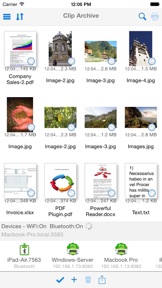
Transfers files and clipboard content via WiFi or Bluetooth without network dependency.
Secures files and folders with app-level passwords or Touch ID.
How much does it cost?
The freemium model relies on a free utility base with modular paid expansion packs for advanced document processing.
Velocity
Maintenance developmentperformanceUX improvementsShow more...
The app has shipped only one release in the last 140 days, indicating a maintenance-focused development cycle. The latest release provided minor technical improvements for the current iOS version and a request for user feedback, with no new features or content updates. Development momentum is currently stagnant, with no evidence of active feature expansion or live operations.
Who built it?
EuroSmartz
11 apps tracked · Productivity
 WritePDF for iPhone
 Print n Share Pro for iPhone
 Save2PDF for iPhone
 Print to ALL Printers
 PrintDirect for iPhone
 PrintCentral for iPhone
 AltaMail
 CalPrint for iPhone
 Print n Share
 PrintCentral Pro for iPhone
User Sentiment
What do users think recently?
The recent review mood reads thrilled. Users appreciate centralized file management and clipboard sharing provide a unified workspace for diverse document types and passcode protection and private file locking offer users a sense of security for sensitive data.
How are ratings & reviews evolving?
What users say, by theme
- Centralized file management and clipboard sharing provide a unified workspace for diverse document types
- Passcode protection and private file locking offer users a sense of security for sensitive data
- Responsive email support and detailed help documentation assist users in discovering advanced app features
- Cloud connectivity failures and thumbnail loading errors disrupt the file access experience for some users
41 of 41 recent reviews analyzed · high confidence · Thrilled overall
Read the full review analysisCompetition
Competitive landscape for FileCentral for iPhone
How's the Productivity market?
FileCentral for iPhone maintains a stable position in the Productivity category with a 4.8-star rating across 178 total ratings. The lack of feature updates over the last 140 days suggests the app is in a maintenance phase rather than an active growth cycle.
Read the market outlookThe rivals identified
Unlock the deeper market read.
Access the full report for freeThe Analyst's Read
Key takeaways for FileCentral for iPhone
Where is it heading?
The market for third-party file managers is consolidating as native OS capabilities improve, leaving FileCentral for iPhone exposed to feature-parity risks. The current maintenance-only release cadence suggests a lack of active investment, which will likely lead to a gradual decline in user retention as cloud APIs evolve and break existing integrations.
- The 140-day update gap suggests the developer has deprioritized the app, which increases the risk of breakage as cloud APIs evolve.
- Cloud connectivity failures in the latest version erode the core value proposition, leading to negative sentiment among power users.
The SWOT
- Cloud aggregation removes switching friction between storage services
- Bluetooth/WiFi transfer enables offline file access
- PDF annotation integration could capture power-user segments
Next best moves
Audit cloud API integrations because connectivity failures are the top complaint → reduce churn
The counter-intuitive read
The app's maintenance-only posture is a rational choice…
Read the full takeSince the last report: The outlook for FileCentral for iPhone has transitioned from stable to declining due to a stagnant 140-day update cadence and the increasing threat of native OS file management capabilities.
Bottom line
FileCentral for iPhone's utility rests on its offline transfer capabilities, but the lack of recent updates leaves it vulnerable to OS-level changes. Addressing cloud connectivity failures would stabilize the core experience and prevent further user churn.
Unlock 2 critical frictions, 1 market threat and the analyst’s take.
Access the full report for freeFAQ
Is FileCentral for iPhone worth paying for if I only need basic file storage?
Does FileCentral for iPhone work without an internet connection?
Is FileCentral for iPhone safe for storing sensitive documents?
Sources
- [1] App Store, source
Report last updated