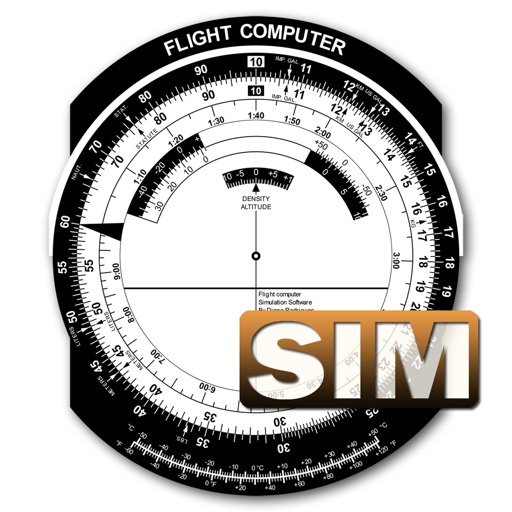


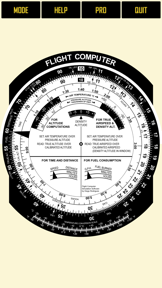
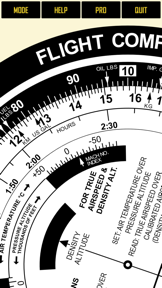
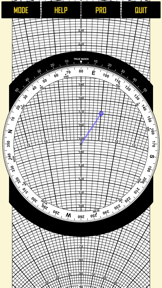
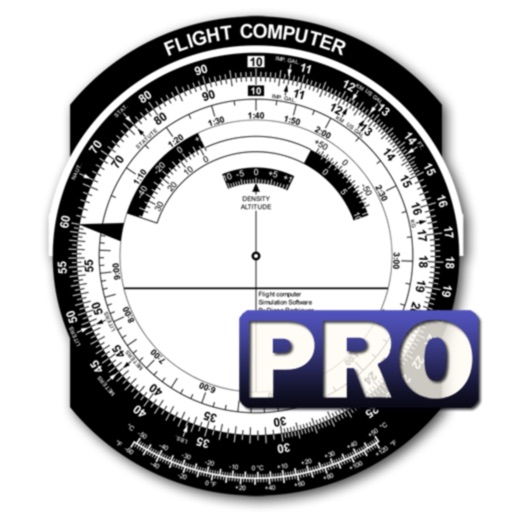
Flight Computer Sim is a digital E6B slide ruler for aircraft pilots and students on iOS and Android.
The App DNA
What makes this app unique?
Users hire the app to perform navigation and wind correction calculations without carrying physical mechanical tools, relying on the digital interface for training accuracy.
For Aircraft pilots and aviation students requiring a digital E6B flight computer for navigation and performance calculations.
What does it look like?
Key features
Digital recreation of the E6B flight computer with touch-based rotating, sliding, and pinch-to-zoom controls.
Supports unit conversions, low-speed wind correction, and high-speed wind correction.
Paid-gate includes instructional reference guides and removes advertisements.
How much does it cost?
Monetization relies on an ad-supported free tier with a secondary paid app acting as a premium, ad-free upgrade.
Velocity
Maintenance developmentShow more...
5 versions in history. Development pace: maintenance.
Who built it?
User Sentiment
What do users think recently?
Review voice lately leans thrilled. Users appreciate high fidelity simulation of mechanical flight computers provides an authentic experience for student pilots and simple and intuitive interface design allows for quick navigation during flight training sessions.
How are ratings & reviews evolving?
What users say, by theme
- High fidelity simulation of mechanical flight computers provides an authentic experience for student pilots
- Simple and intuitive interface design allows for quick navigation during flight training sessions
- Pro version upgrade provides clear instructional value for both front and wind side calculations
- Inaccurate visual alignment of temperature markings on the wind face creates confusion during calculations
14 of 14 recent reviews analyzed · moderate confidence · Thrilled overall
Read the full review analysisUnlock 1 more frustration theme and 2 user requests, each backed by review evidence.
Access the full report for freeCompetition
Competitive landscape for Flight Computer Sim
How's the Utilities market?
The app maintains a 4.64-star rating on the iOS platform. Its position is limited by a basic utility scope that lacks the real-time data integration found in professional aviation tools.
The rivals identified
The Analyst's Read
Key takeaways for Flight Computer Sim
Where is it heading?
The aviation utility market is shifting toward integrated EFBs that combine navigation with real-time data, leaving single-purpose calculators in a defensive position. Flight Computer Sim must improve its core UX and monetization balance to retain its student-pilot base before professional-grade tools further erode the entry-level segment.
- Intrusive ads in the free tier disrupt the simulation utility, leading to user frustration and potential churn to ad-free competitors.
- Recent updates focused on security and minor visual fixes, indicating the app remains in maintenance mode rather than active feature expansion.
The SWOT
- High-fidelity simulation of mechanical flight computers provides an authentic experience for student pilots
- Simple interaction model allows for quick navigation during flight training sessions
- Inclusion of simple instructional overlays would mirror the functionality of physical flight computers
- Visual tools for drawing wind vectors on the wind face would improve complex problem solving
Next best moves
Audit ad-frequency in the free tier because user complaints cite disruption as a top frustration -> reduce churn
+ 1 more prioritized moveThe counter-intuitive read
The app's lack of real-time weather data is…
Read the full takeFeature gaps
Real-time weather overlays (available in ForeFlight Mobile but missing here) +2
Since the last report: The app's competitive position is now viewed as defensive due to ad-driven friction, with a new focus on the Pro version as a necessary upgrade to remove these disruptions.
Bottom line
Flight Computer Sim provides authentic mechanical simulation, but its ad-heavy free tier and lack of real-time data integration limit its utility against professional EFBs, so the PM should prioritize ad-frequency reduction to stabilize the user base.
Unlock 2 critical frictions, 2 market threats, 1 more prioritized move and the analyst’s take.
Access the full report for freeFAQ
Is Flight Computer Sim suitable for student pilots?
How does this app compare to ForeFlight?
Does the app have intrusive advertisements?
Are there free alternatives for flight planning?
Sources
Report last updated