






iAnnotate for BlackBerry is a secure PDF markup and document management tool for enterprise users on iOS.
Product velocity
Dormant
Daily rank 🇺🇸
—
Business
Sentiment
1.7
18 reviews
Nemesis

Adobe Acrobat Reader: Edit PDF
The App DNA
What makes this app unique?
Professionals hire this app to perform secure document review and signing within corporate-managed environments where standard PDF tools fail compliance audits.
For Enterprise professionals and business users requiring secure, mobile-first PDF markup and document management.
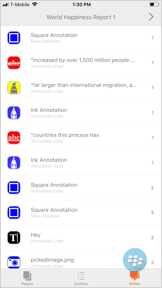
What does it look like?
Key features
Secure document environment compliant with BlackBerry Dynamics SDK for enterprise data protection
Compresses annotations onto the document to prevent modification or removal by recipients
Includes pen, highlighter, typewriter, stamp, and voice recording tools for PDF markup
How much does it cost?
The app functions as a free client for enterprise-managed environments, with monetization tied to B2B enterprise contracts.
Velocity
Dormant developmentShow more...
5 versions in history. Development pace: zombie.
Who built it?
Branchfire
6 apps tracked · Business
 iAnnotate 4 — PDFs & more
 iAnnotate for Intune / O365
 Folia
Folia iAnnotate Forms for Intune
 iAnnotate Forms for BlackBerry
User Sentiment
What do users think recently?
Fresh user feedback skews frustrated.
How are ratings & reviews evolving?
What users say, by theme
- Frequent application crashes and system lockups during search functions disrupt professional document review workflows
7 of 7 recent reviews analyzed · limited sample · Frustrated overall
Read the full review analysisUnlock 1 more frustration theme and 1 user request, each backed by review evidence.
Access the full report for freeCompetition
Competitive landscape for iAnnotate for BlackBerry
How's the Business market?
The app maintains a niche enterprise position, but its 1.72-star rating on 18 total ratings signals that stability issues are currently preventing broader adoption within the Business category.
Read the market outlookThe rivals identified
By Adobe Inc.
Adobe holds the industry standard for PDF interaction, commanding a massive user base that makes it the primary benchmark for any document-centric business application.
- Deep integration with Adobe Document Cloud enables seamless cross-device synchronization for enterprise document workflows.
- Standardized PDF rendering engine ensures consistent document appearance across mobile, desktop, and web platforms.
- Advanced subscription-based editing and conversion tools create a high barrier to entry for smaller competitors.



Unlock the head-to-head verdict: where this rival wins, and where it loses.
Access the full report for freeThe Analyst's Read
Key takeaways for iAnnotate for BlackBerry
Where is it heading?
The enterprise document market is consolidating around platforms that offer both security and high-velocity feature updates, leaving iAnnotate exposed. The current stability trend suggests that without a fundamental rebuild of the save and search logic, the app will continue to lose its foothold in corporate environments.
- Frequent crashes during search functions disrupt professional workflows, leading to high churn risk among enterprise users.
- Annotation data loss in enterprise configurations erodes trust, which compounds the rating drag already visible on the platform.
The SWOT
- BlackBerry Dynamics SDK integration secures enterprise distribution
- Flattening tool establishes document authority for legal workflows
- Expand bulk document management for enterprise processing
- Integrate wearable shortcuts for document navigation
Next best moves
Rebuild search and save logic because annotation data loss is the top complaint → stabilize retention
+ 1 more prioritized moveThe counter-intuitive read
The app's enterprise-exclusive security model is its greatest liability…
Read the full takeFeature gaps
Cross-device synchronization (available in Adobe Acrobat but absent here) +1
Since the last report: The application's competitive position has declined significantly due to critical stability issues and data loss, shifting the narrative from enterprise utility to high churn risk.
Bottom line
The app provides essential security for enterprise document workflows, but critical stability failures and data loss are driving users away, so the PM must freeze new features to prioritize core reliability.
Unlock 3 critical frictions, 3 market threats, 1 more prioritized move and the analyst’s take.
Access the full report for freeReport last updated