


Image Converter: Photo Editor






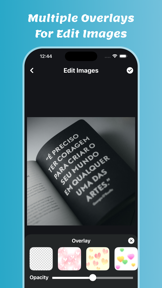


Image Converter: Photo Editor is an iOS utility for batch image conversion, compression, resizing, and cropping.
The App DNA
What makes this app unique?
It removes the financial cost of basic image format transformation for casual users who need to process multiple files simultaneously.
For Casual iOS users needing quick, batch-processing tools for image format conversion and basic editing.
What does it look like?
Key features
Converts multiple images simultaneously into JPG, JPEG, PNG, BMP, TIFF, or GIF formats.
Reduces file size of selected images while maintaining quality.
Adjusts dimensions and crops specific areas of images before saving.
How much does it cost?
The app is currently offered as a free utility without explicit subscription or IAP tiers.
Velocity
Maintenance developmentperformanceShow more...
The app is currently in a maintenance phase, with only one release recorded in the analyzed window. Development activity is limited to minor performance improvements and crash fixes, with no new features or content introduced. At 95 days since the last update, the release cadence is infrequent and suggests a focus on basic stability rather than active feature expansion.
Who built it?
Hardik Dhameliya
9 apps tracked · Photo & Video
 Video Cutter: Trim and Merge
 PDF Compressor: Size Reduce
 Video To Live Wallpapers
 OCR Scanner : Image to Text
 ADJ Media Player
 Motion Blur Effect
 Web To PDF : Scanner & Reader
 PDF: Lock & Unlock
User Sentiment
What do users think recently?
How are ratings & reviews evolving?
Not enough recent reviews to extract reliable themes yet.
Read the full review analysisCompetition
Competitive landscape for Image Converter: Photo Editor
How's the Photo & Video market?
Image Converter: Photo Editor maintains a 4.75 rating on the iOS App Store. The lack of recent feature updates over the last 95 days signals a maintenance-only position in the competitive utility market.
Read the market outlookThe rivals identified
Unlock the deeper market read.
Access the full report for freeThe Analyst's Read
Key takeaways for Image Converter: Photo Editor
Where is it heading?
The utility market for image conversion is consolidating around apps with frequent feature updates and cloud-sync capabilities. Image Converter: Photo Editor remains stable as a free, local-only tool, but the lack of development cadence leaves it vulnerable to rivals that better address user needs for cross-platform workflows.
- The 95-day maintenance cycle suggests the app will remain a static utility without significant feature expansion or competitive growth.
The SWOT
- Free utility model removes financial barriers to entry
- Cloud-storage integration would differentiate from local-only tools
Next best moves
Audit performance on the latest iOS version because the 95-day update gap risks technical debt → maintain current rating baseline
The counter-intuitive read
The app's lack of monetization is its primary defensive mechanism…
Read the full takeSince the last report: The app remains in a static maintenance cycle with no changes to features, pricing, or core functionality. The only material shifts are in the analytical framing of the product's long-term viability.
Bottom line
Image Converter: Photo Editor provides a functional, no-cost utility for basic batch image tasks, but the lack of active feature development limits its long-term retention potential.
Unlock 1 critical friction, 1 market threat and the analyst’s take.
Access the full report for freeFAQ
Is Image Converter: Photo Editor free to use?
Does Image Converter: Photo Editor support batch processing?
What image formats can I convert to?
Sources
- [1] App Store
- [2] Developer website, source
Report last updated