


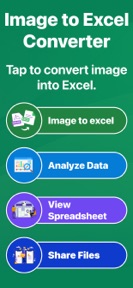


Image to Excel Converter is a productivity tool for iOS that automates the extraction of table data from images into editable spreadsheet formats.
The App DNA
What makes this app unique?
The app removes the manual labor of typing data from invoices and reports, serving users who need to digitize physical records without paying for enterprise-grade software.
For Students, finance professionals, and office workers requiring automated data entry from physical documents or images.
What does it look like?
Key features
Automated detection of tables, rows, and columns from images for conversion into spreadsheet formats.
Manual adjustment of extracted values, column names, and row data before final export.
Conversion of image data into XLSX, CSV, or PDF files for external use.
How much does it cost?
The app operates as a free utility with no visible subscription or IAP gates, relying on ad-based monetization.
Velocity
Maintenance developmentperformanceUX improvementsShow more...
The app maintains a maintenance cadence, with only one release recorded in the analyzed window. The latest version focused on technical refinements, including improved conversion accuracy and processing speed, rather than new feature sets. Development activity is infrequent, with 67 days elapsed since the last update. The current trajectory suggests a focus on stability and minor UI adjustments rather than active feature expansion.
Who built it?
ESPRESSO TECH (SMC-PRIVATE)
13+ apps tracked · Productivity
 Image to Word Converter - DOCX
 Vérnyomásmérő Magyarul
 Presión Arterial Monitor App
 Kreator Zaproszeń po Polsku
 Image to Excel Converter
 Plakát Szerkesztő Magyar
 Ovulation Tracker & Calculator
 Image to Text - Instant OCR AI
 ID Scanner - ID Card Scanner
 PDF to Word Converter | DOCX
 Pregnancy Tracker - Calculator
 Pedometer Step Counter
User Sentiment
What do users think recently?
How are ratings & reviews evolving?
Not enough recent reviews to extract reliable themes yet.
Read the full review analysisCompetition
Competitive landscape for Image to Excel Converter
How's the Productivity market?
Image to Excel Converter maintains a 5-star rating on the iOS platform with a single review, reflecting a niche utility position. The lack of a subscription tier signals a focus on broad user acquisition rather than high-ARPU monetization.
The rivals identified
The Analyst's Read
Key takeaways for Image to Excel Converter
Where is it heading?
The document utility market is consolidating around apps that offer cross-platform sync and subscription-based access. Image to Excel Converter remains in a stable but vulnerable position, as its free-only, single-device model will struggle to retain power users as their document processing needs scale.
- The maintenance-only release cadence suggests the developer is prioritizing stability over new feature growth, which limits competitive expansion.
- The absence of cloud-sync features creates a churn risk as professional users shift toward multi-device document workflows.
The SWOT
- In-app editor increases session time
- Subscription tiers could capture power users
Next best moves
Audit ad-fill rates because the app is free-only → stabilize revenue
+ 1 more prioritized moveThe counter-intuitive read
The app's lack of a subscription model is not a weakness…
Read the full takeFeature gaps
Cloud-sync integration (available in enterprise rivals but absent here)
Bottom line
The current free-only model limits revenue potential, and the lack of cloud-sync leaves the app vulnerable to more robust rivals. Prioritizing cloud-sync would address the primary churn risk for professional users who require multi-device access.
Unlock 1 critical friction, 1 market threat, 1 more prioritized move and the analyst’s take.
Access the full report for freeFAQ
Is Image to Excel Converter free to use?
Does Image to Excel Converter support cloud syncing?
What formats can I export my converted files into?
How does this compare to other document scanners?
Sources
- [1] App Store, source
Report last updated