





Image2icon is a macOS utility designed for customizing file and folder icons through image conversion and template application. It enables users to personalize their desktop environment by applying custom visuals, text, and emojis to system icons. The app stands out for its drag-and-drop workflow and support for multiple export formats including ICNS.
Overview · Full Intel report in progress
The App DNA
What makes this app unique?
For Mac users who prioritize visual organization and system customization for their files and folders.
What does it look like?
Key features
Converts images into custom icons via a simple drag-and-drop interface.
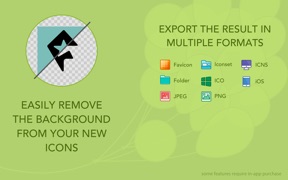
Provides over 20 retina-ready templates, including options for folders, external drives, and various media formats.
Allows users to adjust icon appearance by zooming, rotating, moving, and changing background colors.
Supports the addition of custom text and emojis directly onto icon designs.
Enables saving icons in nine different formats, with ICNS and folder support available in the free version.
How much does it cost?
Velocity
Dormant developmentShow more...
5 versions in history. Development pace: zombie.
Who built it?
Shiny Frog
5 apps tracked · Graphics & Design
 Bear: Markdown Notes
 Bear - Markdown Notes
 スミレ キーボード Lite
 QR Lu - Scan Your QR Code
User Sentiment
What do users think recently?
How are ratings & reviews evolving?
Not enough recent reviews to extract reliable themes yet.
Read the full review analysisCompetition
Competitive landscape for Image2icon - Make your icons
How's the Graphics & Design market?
The rivals identified
The Analyst's Read
Key takeaways for Image2icon - Make your icons
Where is it heading?
Bottom line
Image2icon is a highly-rated, user-friendly tool that simplifies the process of creating and applying custom icons to improve file management and visual organization on macOS.
Report last updated