




Intercepta is an on-device HTTP/HTTPS debugging proxy for developers and security researchers on iOS.
The App DNA
What makes this app unique?
The tool removes the need for desktop-tethered proxy configurations, allowing mobile-native network inspection and API response mocking.
For Developers, QA engineers, and security researchers requiring mobile-native network debugging tools.
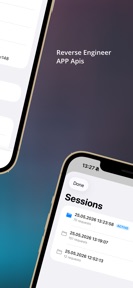
What does it look like?
Key features
Decrypts HTTPS traffic via a local CA; paid-tier gate ($1.99) drives conversion for security researchers.
Allows editing of headers and bodies to test API edge cases; paid-tier gate ($1.99) enables QA reproduction.
Modifies traffic in real time to mock API responses; paid-tier gate ($1.99) reduces staging server reliance.
How much does it cost?
The $1.99 one-time purchase model provides full access to all features, positioning Intercepta as a low-barrier tool for professional developers.
Velocity
Maintenance developmentperformanceopaqueShow more...
Intercepta currently operates on a maintenance cadence, with the latest release occurring 51 days ago. The development history shows a singular, minor update focused exclusively on bug fixes. There is no evidence of new features, content, or live operations driving the product roadmap. The current release frequency suggests a focus on stability rather than active feature expansion.
Who built it?
User Sentiment
What do users think recently?
How are ratings & reviews evolving?
Not enough recent reviews to extract reliable themes yet.
Read the full review analysisCompetition
Competitive landscape for Intercepta
How's the Developer Tools market?
Intercepta occupies the mobile-native debugging niche, priced at $1.99 to undercut the complexity of desktop-based proxy setups. The 51-day update cadence suggests a stable, maintenance-focused position rather than aggressive market expansion.
Read the market outlookThe rivals identified
Unlock the deeper market read.
Access the full report for freeThe Analyst's Read
Key takeaways for Intercepta
Where is it heading?
The market for mobile debugging tools is shifting toward automated CI/CD integration, where Intercepta's manual-only workflow may struggle to maintain relevance. A move toward automated export and scripting would allow Intercepta to defend its position against desktop-based proxies that are increasingly adding mobile-tethering support.
- The 51-day update cadence indicates a shift to maintenance, which stabilizes the current feature set but limits competitive growth against desktop-based alternatives.
The SWOT
- Local VPN-based interception removes desktop-tethering requirements
- Automated HAR export workflows could capture mobile-first QA
Next best moves
Automate HAR export workflows because manual cURL copying is a friction point for QA teams → increase professional adoption
The counter-intuitive read
The lack of cloud-based features is Intercepta's primary advantage…
Read the full takeSince the last report: Intercepta has pivoted its development priority from iPadOS UI improvements to automated HAR export workflows to better address professional QA requirements. This shift reflects a move toward integrating with external testing environments to defend against desktop-based proxy competition.
Bottom line
Intercepta's local-only architecture solves the primary friction of mobile network debugging, but the current maintenance-only release cadence leaves it vulnerable to rivals that offer deeper integration with CI/CD pipelines.
Unlock 1 critical friction, 1 market threat and the analyst’s take.
Access the full report for freeFAQ
Is Intercepta safe for security research?
Does Intercepta require a computer to debug mobile traffic?
How does Intercepta compare to desktop-based proxies?
Sources
- [1] App Store listing, source
Report last updated