


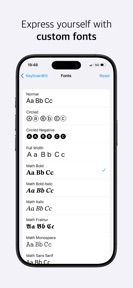
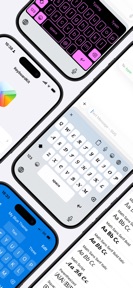


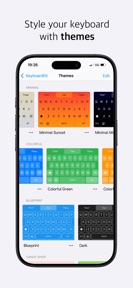

KeyboardKit is a custom keyboard extension for iOS that provides 75-language support and granular layout configuration.
The App DNA
What makes this app unique?
Users install KeyboardKit to bypass the limitations of the default iOS keyboard, specifically seeking custom key heights and specialized language layouts.
For iOS users seeking advanced text input customization, multilingual support, and personalized keyboard aesthetics.
What does it look like?
Key features
Replaces the system keyboard with a custom interface across all iOS apps.
Unlocks advanced functionality including 77 languages, autocomplete, emojis, and AI-based suggestions.
Provides settings to resize keys, add extra rows, and configure toolbar buttons.
How much does it cost?
The freemium model gates advanced utility and customization behind a Pro tier to capture power users.
Velocity
Maintenance developmentUX improvementsShow more...
KeyboardKit currently operates at a maintenance cadence, with only one release shipped in the last 34 days. Development is focused on incremental UX improvements and customization options rather than rapid iteration. The current pace suggests a stable, low-frequency update cycle aimed at refining existing keyboard functionality. There is no evidence of a shift toward live-service operations.
Who built it?
Kankoda Sweden AB
3 apps tracked · Utilities
 Wally - Digital Wallet
 Appamini ABC - Alfabetslekar
User Sentiment
What do users think recently?
Fresh user feedback skews mixed. Users appreciate height adjustment settings allow users to customize their keyboard layout for improved typing comfort and visual design mimics the standard system keyboard which helps users transition between different devices.
How are ratings & reviews evolving?
What users say, by theme
- Height adjustment settings allow users to customize their keyboard layout for improved typing comfort
- Visual design mimics the standard system keyboard which helps users transition between different devices
- Users report that the app collects keystroke data which raises significant privacy and security concerns
11 of 11 recent reviews analyzed · moderate confidence · Mixed overall
Read the full review analysisUnlock 2 more frustration themes and 2 user requests, each backed by review evidence.
Access the full report for freeCompetition
Competitive landscape for KeyboardKit
How's the Utilities market?
KeyboardKit operates in the iOS Utilities space, holding a 4.38 rating across 72 total ratings. The reliance on a subscription model for basic customization features creates a barrier for casual users compared to free system-integrated alternatives.
Read the market outlookThe rivals identified
Unlock the deeper market read.
Access the full report for freeThe Analyst's Read
Key takeaways for KeyboardKit
Where is it heading?
The iOS keyboard utility market is consolidating around native features, leaving KeyboardKit exposed to platform-level updates. The current maintenance-mode cadence, combined with active privacy complaints, suggests that the app will struggle to maintain its current user base without a pivot toward transparency and high-utility feature parity.
- Privacy concerns regarding keystroke logging erode user trust, which compounds the churn pressure already visible from subscription complaints.
- The maintenance-mode release cadence (one update in 34 days) leaves the app vulnerable to platform-level changes in iOS text input.
The SWOT
- 75-language library functions as a B2B distribution barrier into international markets
- Granular layout settings allow key height adjustment without paywall gating
- Localized pricing could convert users currently deterred by the subscription model
- Adding system-level text replacement support would address a top-requested feature gap
Next best moves
Audit privacy disclosures because keystroke logging is a top complaint → reduce trust-based churn
+ 1 more prioritized moveThe counter-intuitive read
The privacy backlash against KeyboardKit is actually a sign of high engagement…
Read the full takeSince the last report: The analysis reflects a strategic pivot toward leveraging the existing language library as a competitive barrier while prioritizing system-level text replacement to address power-user retention. The outlook has evolved to explicitly acknowledge the threat of platform-level obsolescence for third-party keyboard extensions.
Bottom line
KeyboardKit must address the privacy perception gap to retain its power-user base, as the current sentiment drag threatens the subscription funnel. Prioritizing transparency and requested utility features will unlock higher conversion rates than further theme-engine expansion.
Unlock 2 critical frictions, 2 market threats, 1 more prioritized move and the analyst’s take.
Access the full report for freeFAQ
Is KeyboardKit safe to use?
Do I need to pay for KeyboardKit?
How does KeyboardKit compare to the default iOS keyboard?
Sources
- [1] App Store, source
Report last updated