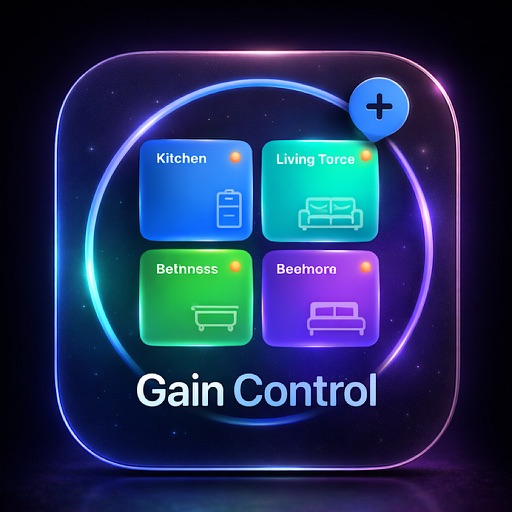
LifeFlow (ffa4bc)
For individuals seeking to organize their daily lives and reduce mental clutter.
LifeFlow (ffa4bc) is an established lifestyle app that is a paid app.
What is LifeFlow (ffa4bc)?
LifeFlow is a paid lifestyle app for iOS designed to manage daily tasks and reduce mental clutter through cognitive offloading.
Users hire LifeFlow to externalize mental load in a distraction-free environment, avoiding the ad-supported clutter found in legacy list apps.
Current Momentum
v1.0
- Released initial version May 2026.
- No major feature updates since launch.
Active Nemesis
List ◎
By Diego de Paz Sierra
Other Rivals
7-Day Rank Pulse 🇺🇸
LifestyleNo ranking data
Rating Pulse 🇺🇸
Gathering signals...
What makes this app unique?
Loading...
What Are The Key Features?
Provides a system to organize daily activities and responsibilities.
Designed to store information externally so users do not need to rely on memory.
How much does it cost?
- $2.99
Paid-only model targets users prioritizing a distraction-free experience over free, ad-supported alternatives.
Who Built It?
Portfolio
4
Apps
What other apps does WHITNEY SIMMONS ESTEP make?
Explore the full WHITNEY SIMMONS ESTEP report
Portfolio breakdown, audience, momentum, and every app published by WHITNEY SIMMONS ESTEP.
What do users think recently?
Analysis in progress, available soon
What is the competitive landscape for LifeFlow (ffa4bc)?
How's The Lifestyle Market?
LifeFlow operates as a paid-only utility in the lifestyle category. With no current rating or review volume, the app lacks the social proof required to compete with established productivity tools that leverage years of user feedback.
The rivals identified
Nemeses(1)
List ◎ is a direct threat because it dominates the productivity space with a massive user base and established list-management workflows that mirror LifeFlow's core value proposition.
Differentiators
- Boasts a massive, established user base with nearly 5,000 reviews, creating a significant network effect.
- Offers mature list-reuse functionality that simplifies recurring tasks better than LifeFlow’s current feature set.
- Provides seamless iCloud sync, ensuring data persistence across devices that LifeFlow has yet to demonstrate.
Head to head
LifeFlow must prioritize rapid feature parity in sync capabilities and leverage its premium positioning to attract users tired of the cluttered, legacy experience of List ◎.
Contenders(4)
This app serves as a legacy contender that addresses the fundamental need for task reminders and note integration.
Differentiators
- Offers integrated note-taking within tasks, providing more context per item than a standard list entry.
- Despite a low rating, its long-standing presence in the store provides a baseline for basic task management.
Chillio competes by narrowing the scope of life management to home maintenance, capturing a specific segment of the lifestyle organization market.
Differentiators
- Aggressive release cadence with five updates in six months shows high responsiveness to user feature requests.
- Niche focus on cleaning checklists provides a more specialized utility than LifeFlow’s general chaos-management approach.
This app targets the same productivity-conscious demographic by offering robust synchronization and shared list capabilities.
Differentiators
- Supports collaborative shared lists, enabling team or family task management that LifeFlow does not currently offer.
- Provides robust calendar synchronization, bridging the gap between task management and time-blocked scheduling.
Jettison competes by targeting the same 'life admin' pain points, specifically focusing on brain dumps and progress tracking to manage daily chaos.
Differentiators
- Includes a dedicated 'Relief Mode' specifically designed to reduce user anxiety, a unique emotional value proposition.
- Integrates voice note capture, allowing for faster task entry than LifeFlow’s likely text-heavy input method.
Same space(3)
Cat Calendar competes by gamifying the scheduling experience, appealing to users who prefer a more engaging, aesthetic-driven interface.
Differentiators
- Implements a character skin system that gamifies the scheduling experience to improve daily user retention.
- Utilizes a minimalist calendar interface that prioritizes aesthetic simplicity over complex productivity features.
This app provides calendar-based organization, overlapping with LifeFlow's goal of bringing clarity to daily planning.
Differentiators
- Focuses on high-utility holiday and event categorization to simplify long-term personal planning and scheduling.
- Provides deep personalization options for notifications, allowing users to control their alert frequency and style.
ShiftCal targets users who need to organize their lives around complex work schedules, a subset of the lifestyle organization market.
Differentiators
- Includes automated pay calculation features, adding a layer of financial utility beyond simple task management.
- Offers multi-view scheduling options that allow users to visualize complex shift patterns more effectively.
Compare LifeFlow (ffa4bc) against every rival
All rivals in one side-by-side table — identity, store metrics, ratings & sentiment, and strategic intel — plus a head-to-head page for each.
The outtake for LifeFlow (ffa4bc)
Strengths to defend, gaps to attack
Core Strengths
- Focused, distraction-free UI design targets users fatigued by ad-heavy productivity apps.
Critical Frictions
- $2.99 price point without a free trial limits top-of-funnel conversion.
- No demonstrated cloud-sync capability.
Growth Levers
- Integration of voice-capture workflows could differentiate the app from text-only incumbents.
Market Threats
- Established rivals with mature sync and collaboration features drain the potential user base.
What are the next best moves?
Ship cloud-sync in the next release because it is a standard expectation for paid productivity tools → increase conversion.
Competitor analysis shows List ◎ and Tasks both offer sync, making it a parity requirement.
Trade-off: Pause work on UI aesthetic refinements — sync is a functional blocker for power users.
Implement a 7-day free trial because the $2.99 barrier prevents user discovery → increase install velocity.
The paid-only model creates a high acquisition hurdle compared to free, ad-supported competitors.
Trade-off: Defer the development of new task-sorting features — acquisition volume is the current priority.
A counter-intuitive read
The paid-only model is not a weakness but a filter for high-intent users, provided the app delivers the cross-device persistence that free, ad-supported rivals currently struggle to maintain.
Feature Gaps vs Competitors
- Cloud synchronization (available in List ◎ but missing here)
- Collaborative shared lists (available in Tasks: To Do List & Planner but missing here)
- Voice note capture (available in Jettison: Life Admin but missing here)
Key Takeaways
- Prioritize cloud-sync parity to remove the primary barrier for power users.
- Evaluate a limited-time free trial or freemium model to lower the acquisition risk for new users.
LifeFlow offers a clean, distraction-free alternative to cluttered list apps, but the lack of cloud-sync and a free trial makes it a difficult sell against established incumbents, so the team must prioritize sync parity to justify the paid price point.
Where Is It Heading?
Stable
The lifestyle productivity market is currently consolidating around tools that offer seamless cross-device persistence and collaborative features. LifeFlow remains exposed until it addresses these core infrastructure gaps, as the current feature set does not provide enough utility to overcome the friction of a paid-only entry.
The app launched in May 2026 with no subsequent updates, suggesting a wait-and-see approach to user feedback.
The absence of cloud-sync functionality creates a significant churn risk for users migrating from established productivity tools.