


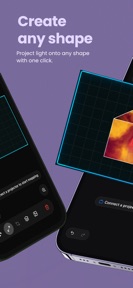

Light Mapping - Projection is a real-time mapping tool for iOS that allows users to project media onto physical surfaces using an iPhone and a projector.
The App DNA
What makes this app unique?
The app removes the need for laptops and complex software, reducing the setup time for visual installations from hours to minutes.
For Content creators, DJs, VJs, and visual artists requiring portable, hardware-light projection mapping tools.
What does it look like?
Key features
Adjusts corner points of shapes to fit physical surfaces using the iPhone camera and screen as the controller.
Assigns individual photos, videos, or effects to specific shapes or stretches one visual across multiple shapes.
Outputs visuals via AirPlay or HDMI adapters to projectors and external monitors.
How much does it cost?
Monetization relies on a subscription-first model with a lifetime purchase option to capture both recurring and one-time power users.
Velocity
Maintenance developmentopaqueShow more...
The app currently maintains a maintenance-level cadence, with only one release shipped in the last 48 days. Development activity is limited to a single initial version, providing no evidence of ongoing feature expansion or live operations. The lack of subsequent updates suggests a focus on stability or a pause in active development following the initial launch.
Who built it?
User Sentiment
What do users think recently?
The recent review mood reads thrilled. Users appreciate projection mapping tools provide a simple entry point for beginners starting their creative journey and flexible animation options allow users to combine built-in effects with their own personal media library.
How are ratings & reviews evolving?
What users say, by theme
- Projection mapping tools provide a simple entry point for beginners starting their creative journey
- Flexible animation options allow users to combine built-in effects with their own personal media library
1 of 1 recent reviews analyzed · limited sample
Read the full review analysisCompetition
Competitive landscape for Light mapping - Projection
How's the Entertainment market?
Light Mapping - Projection operates in the Entertainment category with a 3-star rating from a limited initial user base. The subscription-first pricing model targets power users who value portability over the deep feature sets found in desktop-based alternatives.
Read the market outlookThe rivals identified
Unlock the deeper market read.
Access the full report for freeThe Analyst's Read
Key takeaways for Light mapping - Projection
Where is it heading?
The portable projection mapping market is consolidating around tools that minimize hardware requirements. Light Mapping - Projection is well-positioned to capture this segment if it maintains its current focus on core utility, as the lack of a laptop-free competitor allows it to retain users who prioritize speed over professional-grade complexity.
- The 7-week maintenance cadence suggests a focus on stability, which prevents rapid feature expansion but avoids the churn risks of buggy updates.
The SWOT
- Real-time corner-pinning interface enables rapid surface alignment without external hardware
- Multi-shape media layering allows for complex visual compositions on non-standard surfaces
- Localized pricing in high-ARPU markets could capture users currently priced out of professional VJ software
Next best moves
Audit onboarding flow because the 3-star rating suggests initial user friction → improve retention
The counter-intuitive read
The app's reliance on a subscription-first model is a strength, not a weakness…
Read the full takeBottom line
The current maintenance-mode cadence risks losing momentum to more active competitors, so prioritizing stability and onboarding will defend the app's position as the primary portable mapping tool.
Unlock 1 critical friction, 1 market threat and the analyst’s take.
Access the full report for freeFAQ
Is Light Mapping - Projection suitable for professional VJ work?
Does the app require a subscription to use?
What alternatives should I consider for projection mapping?
Sources
- [1] App Store, source
Report last updated