


Lock Screen Draw


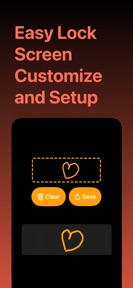
Lock Screen Draw is an iOS utility that allows users to create custom drawings and handwritten notes for display as lock screen widgets.
The App DNA
What makes this app unique?
The app removes the friction of static lock screen backgrounds by enabling persistent, user-generated visual reminders.
For iOS users seeking to customize their lock screen with personal art or handwritten notes.
What does it look like?
Key features
Canvas-based drawing tool for designing visual elements to display on the iOS lock screen. Core utility loop that drives daily app usage — increases retention by establishing a persistent visual habit on the user's home screen.
Native widget support for displaying user-generated art directly on the iOS lock screen. Directly maps to Apple's widget framework — increases app visibility and session frequency each time the user checks their phone.
Canvas space for sketching handwritten notes or doodles to serve as persistent lock screen reminders.
How much does it cost?
The app is currently offered as a free utility with no visible subscription or IAP gates.
Velocity
Dormant developmentopaqueShow more...
The app has seen no development activity for 423 days, indicating a complete cessation of updates. With only a single minor release recorded in the analyzed window, the project shows no signs of active maintenance or feature development. The lack of recent builds suggests the app is currently in a zombie state.
Who built it?
Alexey Primechaev
5 apps tracked · Productivity
 Old Camera 2006CAM
 Tennis – Play On The Go
 Rock Paper Scissors•
 Gradient Generator Backgrounds
User Sentiment
What do users think recently?
How are ratings & reviews evolving?
Not enough recent reviews to extract reliable themes yet.
Read the full review analysisCompetition
Competitive landscape for Lock Screen Draw
How's the Productivity market?
Lock Screen Draw operates as a niche free utility in the Productivity category. The lack of monetization or recent updates suggests it is currently a low-priority project for the developer.
Read the market outlookThe rivals identified
Unlock the deeper market read.
Access the full report for freeThe Analyst's Read
Key takeaways for Lock Screen Draw
Where is it heading?
The widget customization market is consolidating around apps with frequent update cadences and clear monetization paths. Lock Screen Draw remains exposed to churn because its stagnant development prevents it from answering the feature-parity demands of more active rivals.
- The 423-day update gap indicates the app is in maintenance mode, which prevents it from keeping pace with iOS widget framework updates.
- Lack of monetization gates limits the developer's ability to fund server-side improvements, which compounds the risk of user data loss.
The SWOT
- Native widget support maps to iOS lock screen framework
- Canvas-based drawing tool establishes persistent home screen habits
- Introduce Pro tier to fund cloud-save development
Next best moves
Pivot to a freemium model because the current free-only model lacks revenue to support development → unlock capital for feature updates
+ 1 more prioritized moveThe counter-intuitive read
The lack of monetization is not a user-friendly…
Read the full takeBottom line
Lock Screen Draw offers a simple, free canvas for personalization, but the 14-month development gap leaves it vulnerable to more active competitors. A pivot to a freemium model would unlock the capital needed to build cloud-save features and maintain relevance.
Unlock 2 critical frictions, 1 market threat, 1 more prioritized move and the analyst’s take.
Access the full report for freeFAQ
Is Lock Screen Draw free to use?
Does Lock Screen Draw support cloud syncing?
How often is Lock Screen Draw updated?
Sources
- [1] App Store
Report last updated