


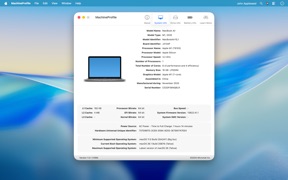

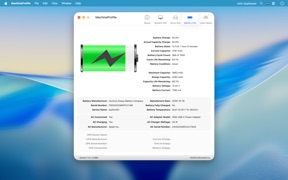
MachineProfile is a utility tool that aggregates granular technical hardware data for Mac systems into a single, exportable window. It provides deeper insights than standard system menus, assisting users in troubleshooting, compatibility checks, and system maintenance.
Overview · Full Intel report in progress
The App DNA
What makes this app unique?
For Mac users, first-time owners, and IT consultants requiring quick access to detailed system specifications.
What does it look like?
Key features
Displays comprehensive hardware information, including processor speed and architecture mode, that is not readily visible in standard system settings.
Allows users to save system profiles as text or PDF files, or share them directly via email.
Helps users determine if their current hardware meets the requirements for future macOS versions.
Provides quick access to essential identifiers such as the Mac's serial number.
How much does it cost?
Velocity
Who built it?

User Sentiment
What do users think recently?
How are ratings & reviews evolving?
Not enough recent reviews to extract reliable themes yet.
Read the full review analysisCompetition
Competitive landscape for MachineProfile
How's the Utilities market?
The rivals identified
The Analyst's Read
Key takeaways for MachineProfile
Where is it heading?
Bottom line
MachineProfile serves as a centralized dashboard for technical Mac hardware diagnostics and documentation.
Report last updated