


miniDSP control App
By miniDSP
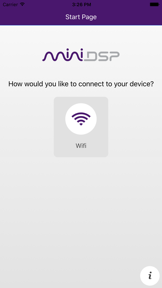


miniDSP control App is a remote management utility for miniDSP audio processors, available on iOS.
The App DNA
What makes this app unique?
The app removes the need for physical interaction with hardware processors by providing wireless control over volume and preset recall.
For Audiophiles and home theater integrators using miniDSP hardware for room correction and audio processing.
What does it look like?
Key features
Adjusts source selection, master volume, and mute for miniDSP processors over local Wi-Fi.
Duplicates setting changes across multiple linked miniDSP processors simultaneously, simplifying multi-unit management for professional integrators.
Toggles Dirac Live room correction processing on or off directly from the app interface.
How much does it cost?
The app is a free utility provided to support the sale of miniDSP hardware processors.
Velocity
Dormant developmentnew contentUX improvementsShow more...
The app has been inactive for 572 days, indicating a complete cessation of development updates. No new feature builds or maintenance patches have been deployed in over a year and a half. The development trend is currently stagnant, with no evidence of ongoing support or engagement through the App Store.
Who built it?
User Sentiment
What do users think recently?
How are ratings & reviews evolving?
Not enough recent reviews to extract reliable themes yet.
Read the full review analysisCompetition
Competitive landscape for miniDSP control App
How's the Utilities market?
miniDSP control App functions as a proprietary utility for miniDSP hardware owners, with a 2.11 rating across 9 total reviews. The lack of recent updates since early 2025 positions it as a legacy support tool rather than a growth-focused product.
Read the market outlookThe rivals identified
Unlock the deeper market read.
Access the full report for freeThe Analyst's Read
Key takeaways for miniDSP control App
Where is it heading?
The market for proprietary hardware control apps is consolidating around stable, long-term support rather than rapid feature expansion. For miniDSP control App, the current maintenance-only trajectory is sufficient for existing hardware owners, but it leaves the app vulnerable to future mobile OS updates.
- The 19-month update gap confirms a maintenance-only posture, which limits the risk of regression but prevents new feature adoption.
The SWOT
- Link Device feature simplifies multi-unit management for professional integrators.
- Visualizing room-correction data could improve the utility for power users.
Next best moves
Audit connectivity stability because the app has not received updates in 19 months → prevent user churn due to OS incompatibility
The counter-intuitive read
The app's lack of updates is a feature…
Read the full takeSince the last report: The app remains in a maintenance-only state with no functional changes, though technical documentation in the FAQ has been updated to clarify firmware requirements for specific hardware models.
Bottom line
miniDSP control App provides necessary remote functionality for hardware owners, but the dormant release cadence suggests it is a low-priority maintenance project that risks obsolescence as mobile platforms evolve.
Unlock 1 critical friction, 1 market threat and the analyst’s take.
Access the full report for freeFAQ
Is miniDSP control App compatible with all miniDSP processors?
Does miniDSP control App require an internet connection?
How do I update my device firmware for app compatibility?
Sources
- [1] App Store
Report last updated