








My Fleur Telecom is a utility app for existing broadband customers to manage accounts, Wi-Fi, and service diagnostics on iOS.
The App DNA
What makes this app unique?
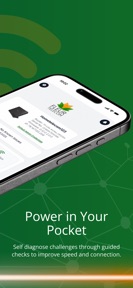
Users hire the app to bypass phone-based support for routine account and network tasks, reducing the time required to resolve basic connectivity issues.
For Existing Fleur Telecom broadband customers requiring self-service account management and network diagnostics.
What does it look like?
Key features
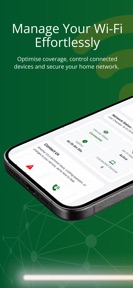
Visual tool to map wireless signal coverage and identify dead zones.
In-app interface to report service issues with photo upload capabilities.
Dashboard displaying all devices connected to the home network.
How much does it cost?
The app functions as a free utility for existing broadband customers, with service pricing starting from £24 per month.
Velocity
Maintenance developmentperformanceUX improvementsShow more...
The app currently operates at a maintenance cadence, with only one release recorded in the last 33 days. Development is focused exclusively on minor technical refinements and hardware setup improvements rather than new features or live operations. The release notes are generic, indicating a focus on stability rather than active product expansion. Given the current pace, the app appears to be in a stable maintenance phase.
Who built it?
User Sentiment
What do users think recently?
How are ratings & reviews evolving?
Not enough recent reviews to extract reliable themes yet.
Read the full review analysisCompetition
Competitive landscape for My Fleur Telecom
How's the Utilities market?
My Fleur Telecom operates as a niche utility for existing subscribers, with no public chart ranking data indicating a focus on retention rather than new user acquisition.
Read the market outlookThe rivals identified
Unlock the deeper market read.
Access the full report for freeThe Analyst's Read
Key takeaways for My Fleur Telecom
Where is it heading?
The utility app market is consolidating around automated, self-healing network tools. My Fleur Telecom remains in maintenance mode, which protects against feature bloat but leaves the app exposed to rivals that offer proactive, AI-driven connection optimization.
- Recent updates focused on hardware setup automation, indicating a shift toward reducing initial support friction.
The SWOT
- Wi-Fi heat map tool provides a visual diagnostic barrier against generic ISP portals
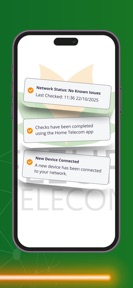
- Integration of proactive network health alerts could reduce support overhead
Next best moves
Ship automated diagnostic triggers because manual fault reporting is the primary friction point → reduce support volume
The counter-intuitive read
The app's maintenance-mode update cadence is a strategic choice to minimize support-portal complexity…
Read the full takeSince the last report: The app's competitive positioning has shifted from a neutral maintenance-mode description to a more critical assessment of its vulnerability to competitors with automated diagnostic capabilities.
Bottom line
My Fleur Telecom secures the customer base through essential account and Wi-Fi management, but the manual nature of fault reporting limits its utility, so the PM should prioritize automated diagnostic triggers to reduce support volume.
Unlock 1 critical friction, 1 market threat and the analyst’s take.
Access the full report for freeSources
- [1] Developer website, source
Report last updated