


My Network Scanner

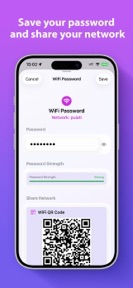


My Network Scanner is a utility for discovering and monitoring devices on local Wi-Fi networks, designed for home administrators and IT professionals on iOS.
The App DNA
What makes this app unique?
Users open My Network Scanner to identify connected devices without relying on cloud-based services or active internet connectivity, removing the privacy and latency costs of cloud-dependent rivals.
For Home network administrators and IT professionals who require local, offline-capable network monitoring tools.
What does it look like?
Key features
Organizes multiple Wi-Fi networks into a single mesh group for unified monitoring.
Maintains a local log of visited networks and connected devices without an active internet connection.
Prioritizes known devices during network discovery to reduce scan duration.
How much does it cost?
The app is currently offered as a free utility with no visible subscription or IAP gates.
Velocity
Maintenance developmentnew contentUX improvementsShow more...
My Network Scanner maintains a maintenance-level cadence, with only one release shipped in the observed window. The latest update introduced a functional improvement by allowing users to group Wi-Fi networks into mesh networks. Development appears focused on incremental refinements rather than rapid feature iteration. Future updates are expected to follow this slow, maintenance-oriented pattern.
Who built it?
Adriano Maia do Nascimento
3 apps tracked · Utilities
 My Route Track
 My Investment
User Sentiment
What do users think recently?
Review voice lately leans excited.
How are ratings & reviews evolving?
What users say, by theme
- Background scanning progress bar stalls indefinitely during operation, preventing users from completing network discovery tasks
1 of 1 recent reviews analyzed · limited sample
Read the full review analysisCompetition
Competitive landscape for My Network Scanner
How's the Utilities market?
My Network Scanner occupies a niche in the Utilities category by offering a fully offline-capable scanning experience. The current 4.67-star rating across 3 reviews signals high initial satisfaction, though the limited sample size leaves the app vulnerable to rating volatility if the scanning regression persists [1, 3].
Read the market outlookThe rivals identified
Unlock the deeper market read.
Access the full report for freeThe Analyst's Read
Key takeaways for My Network Scanner
Where is it heading?
Users report: The network utility market is consolidating around tools that offer both speed and privacy. My Network Scanner is currently exposed by a maintenance-mode cadence that leaves critical regressions unpatched, which will compress new-user conversion if the discovery stall persists into the next quarter [2, 3].
- The scanning progress bar stall prevents discovery completion, which erodes the daily active habit and risks negative rating trends.
- Mesh network grouping (latest release) demonstrates active feature investment, signaling that the app is not in permanent maintenance mode.
The SWOT
- Offline-first architecture removes connectivity dependencies
- Mesh network grouping enables unified monitoring
- Implement scan-timeout to resolve discovery stalls
- Expand port scan presets for IoT vulnerabilities
Next best moves
Ship a scan-timeout mechanism because the progress bar stall is the top frustration theme -> restore discovery completion rates.
The counter-intuitive read
The app's offline-first design is a retention lever…
Read the full takeSince the last report: The product remains in a maintenance phase with no functional updates. The primary shift is a more targeted strategic focus on resolving the scanning progress bar stall via a specific timeout mechanism.
Bottom line
Resolving the scanning progress bar stall would restore the core utility loop, which is currently the primary barrier to user retention. Prioritizing this stability fix over new feature development will protect the app's current rating baseline.
Unlock 2 critical frictions, 1 market threat and the analyst’s take.
Access the full report for freeFAQ
Does My Network Scanner work without an internet connection?
Is My Network Scanner free to use?
What should I do if the scanning progress bar freezes?
Sources
- [1] App Store
- [2] Developer website, source
Report last updated