


My Notes - Notebook, Notepad
By Ascendik


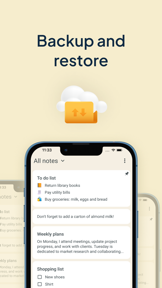


My Notes is a productivity tool for organizing notes, checklists, and audio recordings on iOS and Android.
The App DNA
What makes this app unique?
The app removes the friction of managing disparate project notes by providing a centralized, codelocked workspace for both text and multimedia entries.
For Students and professionals seeking a centralized, secure tool for task management and multimedia note-taking.
What does it look like?
Key features
Allows insertion of photos, videos, and audio recordings into notes, serving as a premium-tier conversion lever.
Provides passcode protection for individual notebooks, increasing user trust and data retention.
Converts notes into PDF format, acting as a high-value conversion trigger for professional workflows.
How much does it cost?
The freemium model uses ad-supported free access to drive volume, while gating advanced multimedia and PDF export behind a subscription.
Velocity
Dormant developmentopaqueShow more...
The app has been inactive for 325 days, falling well outside the threshold for active development. With no updates shipped in nearly a year, the project shows no signs of ongoing maintenance or feature iteration. The release history consists solely of generic, opaque notes that provide no insight into the app's functional evolution.
Who built it?
Ascendik
5 apps tracked · Productivity
 My Diary & Journal with Lock
 Quillio - Daily Diary, Journal
 Workout Tracker & Gym Routine
 My Notes - Notebook, Notepad
User Sentiment
What do users think recently?
Recent user voice shows an excited sentiment. Users appreciate notebook organization features allow users to categorize writing projects into distinct stages for easier management and the interface design provides an elegant and simple experience for capturing daily notes and brainstorming.
How are ratings & reviews evolving?
What users say, by theme
- Notebook organization features allow users to categorize writing projects into distinct stages for easier management
- The interface design provides an elegant and simple experience for capturing daily notes and brainstorming
- Text formatting bars obscure the bottom of notes, preventing users from reading or editing their content
45 of 45 recent reviews analyzed · high confidence · Excited overall
Read the full review analysisUnlock 2 more frustration themes and 2 user requests, each backed by review evidence.
Access the full report for freeCompetition
Competitive landscape for My Notes - Notebook, Notepad
How's the Productivity market?
My Notes maintains a 5-star rating on iOS with a limited sample of 4 reviews, while the Android version holds a 4.3 rating across 438 reviews. The lack of updates for 10 months suggests a maintenance-mode posture that limits competitive growth.
Read the market outlookThe rivals identified
Unlock the deeper market read.
Access the full report for freeThe Analyst's Read
Key takeaways for My Notes - Notebook, Notepad
Where is it heading?
The productivity category is consolidating around tools that offer seamless cross-device synchronization, leaving My Notes exposed due to its lack of feature expansion. Without a return to active development, the app will likely see continued churn as users migrate to more responsive alternatives.
- The 10-month development silence suggests a maintenance-mode posture, which prevents the app from addressing top user requests like cross-device synchronization.
- Persistent UI regressions in the formatting bar continue to erode the daily note-taking habit, compounding the friction caused by aggressive monetization tactics.
The SWOT
- Notebook-based categorization mechanism allows for distinct project management
- Cross-device synchronization would address top user requests and improve power-user retention
Next best moves
Rebuild the text formatting bar UI because it obscures content and prevents editing → reduce negative sentiment
+ 1 more prioritized moveThe counter-intuitive read
The 10-month development silence is not just a lack of updates…
Read the full takeBottom line
My Notes relies on its clean organization structure to retain users, but the lack of recent feature investment and persistent UI regressions create a churn risk that a single active competitor could exploit.
Unlock 2 critical frictions, 1 market threat, 1 more prioritized move and the analyst’s take.
Access the full report for freeFAQ
Is My Notes free to use?
Does My Notes sync across devices?
Is My Notes safe for sensitive notes?
Sources
- [1] Play Store listing
Report last updated