


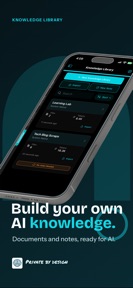
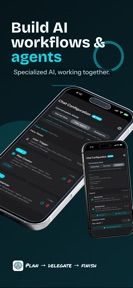


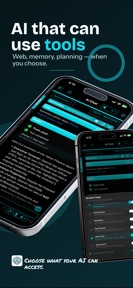

On‑Device AI:Private Workspace is a local-first productivity tool for chat, transcription, and document research on Apple devices.
The App DNA
What makes this app unique?
It removes the privacy and connectivity friction of cloud-based AI, allowing professionals to process sensitive data without internet access.
For Privacy-conscious professionals, researchers, and power users who require offline AI capabilities for document analysis and meeting transcription.
What does it look like?
Key features
Executes LLM inference, transcription, and OCR entirely on-device without cloud connectivity.
Orchestrates specialized AI agents that collaborate on complex research and analysis tasks.
Converts PDFs, Markdown, and RSS feeds into an audio queue using local text-to-speech engines.
How much does it cost?
The freemium model allows free access to local processing, gating advanced features and cloud connectivity behind optional upgrades.
Velocity
Active developmentUX improvementsperformanceShow more...
The app is currently in an active development phase, shipping two updates within the last month. The latest release focuses on expanding core utility by optimizing memory usage for long-form audio transcription and improving document processing workflows. This cadence suggests a stable, feature-driven roadmap rather than a reliance on live-service events. Development is currently focused on enhancing productivity tools and refining the user experience for document and media management.
Who built it?

User Sentiment
What do users think recently?
Fresh user feedback skews excited. Users appreciate local model execution provides users with complete privacy and offline functionality without relying on cloud servers and extensive model configuration options allow advanced users to customize their ai assistant experience beyond standard interfaces.
How are ratings & reviews evolving?
What users say, by theme
- Local model execution provides users with complete privacy and offline functionality without relying on cloud servers
- Extensive model configuration options allow advanced users to customize their AI assistant experience beyond standard interfaces
- Integration of voice-to-text and text-to-speech features enables hands-free operation for improved mobile productivity
- Frequent application crashes during prompt submission or model loading disrupt the user experience on mobile devices
49 of 49 recent reviews analyzed · high confidence · Excited overall
Read the full review analysisUnlock 2 more frustration themes and 3 user requests, each backed by review evidence.
Access the full report for freeCompetition
Competitive landscape for On‑Device AI:Private Workspace
How's the Utilities market?
On‑Device AI:Private Workspace occupies a niche in the Utilities category, prioritizing privacy over the cloud-scale discovery of generalist AI assistants. The current 4.38 rating across 162 ratings reflects a dedicated but technically frustrated user base.
Read the market outlookThe rivals identified
Unlock the deeper market read.
Access the full report for freeThe Analyst's Read
Key takeaways for On‑Device AI:Private Workspace
Where is it heading?
The market for local-first AI is consolidating around privacy-conscious professional workflows, where data sovereignty is a primary purchase driver. On‑Device AI:Private Workspace is well-positioned to lead this segment if it can resolve the technical instability that currently threatens its retention, as the current crash rate risks pushing users toward cloud-based alternatives.
- Frequent application crashes during prompt submission erode the daily active habit, which compounds the rating drag already visible on the platform.
- The latest release added MOSS Transcribe and diarization models, signaling active feature investment rather than maintenance-mode stagnation.
The SWOT
- Local-first architecture creates high switching costs for sensitive data workflows.
- Multi-agent orchestration compounds utility for complex professional research.
- Native Apple hardware acceleration optimizes performance for local models.
- Automated cloud-based syncing for custom agent configurations would address top user requests.
- Clearer documentation for custom model card imports would lower the barrier for power users.
- Integration with native system services like Calendar and Reminders would increase daily task utility.
Next best moves
Stabilize the local inference engine because crashes during prompt submission are the top churn risk → improve retention
+ 2 more prioritized movesThe counter-intuitive read
The privacy-first local architecture is a retention lever…
Read the full takeBottom line
Stabilizing the local inference engine would unlock the retention potential of the current user base, as technical instability currently masks the value of the privacy-first architecture. Addressing these crashes is the prerequisite for any further monetization or feature expansion.
Unlock 3 critical frictions, 2 market threats, 2 more prioritized moves and the analyst’s take.
Access the full report for freeFAQ
Is On‑Device AI:Private Workspace safe for sensitive work?
Does the app work without an internet connection?
Why does the app require a subscription for local features?
What are the main limitations of the app?
Sources
- [1] App Store, source
Report last updated