


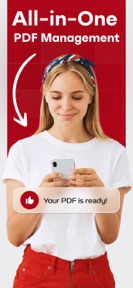



PDF Converter: Editor, Scanner is a mobile document utility for scanning, signing, and annotating PDFs on iOS.
The App DNA
What makes this app unique?
The app removes the friction of physical document handling by providing a portable, local-first workspace for paperwork.
For Users requiring mobile document management, including scanning, signing, and annotating physical or digital paperwork.
What does it look like?
Key features
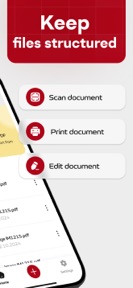
Auto-cropping tools and perspective adjustment for converting physical documents into digital PDFs.
Sticky notes, drawing tools, and text highlighting for document markup.
Direct field typing and signature capture via finger or Apple Pencil.
Files stored locally on the device without third-party access.
How much does it cost?
Subscription model relies on auto-renewal charges processed via iTunes, with cancellation required 24 hours before period end.
Velocity
Dormant developmentopaqueShow more...
The app has not received a feature update or bug fix in 524 days. With only one version recorded in the analyzed window, development has effectively ceased. There is no evidence of active maintenance or ongoing support for the platform.
Who built it?
User Sentiment
What do users think recently?
Review voice lately leans upset.
How are ratings & reviews evolving?
What users say, by theme
- Users report that the subscription cancellation process is intentionally difficult to navigate, leading to unwanted recurring charges
1 of 1 recent reviews analyzed · limited sample
Read the full review analysisCompetition
Competitive landscape for PDF Converter: Editor, Scanner
How's the Utilities market?
PDF Converter: Editor, Scanner holds a 4.39-star rating across 33 total ratings in the Utilities category. The lack of updates for over 500 days signals a maintenance-only posture that limits its competitive standing against active rivals.
Read the market outlookThe rivals identified
Unlock the deeper market read.
Access the full report for freeThe Analyst's Read
Key takeaways for PDF Converter: Editor, Scanner
Where is it heading?
The document utility market is consolidating around apps with frequent feature updates and cloud-sync capabilities. PDF Converter: Editor, Scanner remains in a maintenance-only cadence, which leaves it exposed to competitors that offer more reliable subscription management and active support.
- The 17-month development hiatus prevents feature parity with active rivals, which accelerates user churn as the app fails to address modern document-workflow demands.
- User reports of difficult cancellation flows erode trust, which compounds the negative sentiment already present in the limited recent review sample.
The SWOT
- Local-first storage architecture reduces switching costs for privacy-sensitive segments
- Implementing a transparent, in-app cancellation dashboard could mitigate the primary driver of negative sentiment
Next best moves
Audit subscription cancellation flow because user complaints cite intentional difficulty in exiting the plan → reduce negative sentiment
The counter-intuitive read
The 17-month development silence is a strategic vulnerability…
Read the full takeBottom line
Transitioning the subscription cancellation flow to an in-app, transparent dashboard would address the primary driver of negative sentiment, potentially stabilizing the user base against churn.
Unlock 1 critical friction, 1 market threat and the analyst’s take.
Access the full report for freeFAQ
Is PDF Converter: Editor, Scanner suitable for professional document signing?
Does PDF Converter: Editor, Scanner offer a free version?
How do I cancel my subscription for PDF Converter: Editor, Scanner?
What is a good alternative to PDF Converter: Editor, Scanner?
Sources
- [1] App Store, source
Report last updated