



PDF Printer for iPhone is a mobile document utility for scanning, converting, and printing files on iOS devices.
The App DNA
What makes this app unique?
The app removes the security friction of cloud-based document processing by handling all files locally on the user's device.
For iPhone users requiring mobile document management, scanning, and wireless printing capabilities for personal or professional tasks.
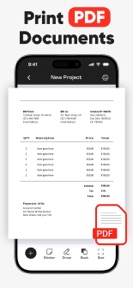
What does it look like?
Key features
Wireless document transmission to Wi-Fi or Bluetooth printers, establishing the app as a primary document tool.
File format transformation for photos, emails, and webpages into PDF, encouraging daily app usage.
High-resolution image capture with automated cropping, anchoring the app in the user's workflow.
File management tools including page merging and digital signature application, often serving as a paid-gate.
Document handling performed locally without server-side uploads, increasing switching costs for security-conscious users.
How much does it cost?
The app is currently listed as free with no explicit subscription or IAP tiers mentioned in the store metadata.
Velocity
Maintenance developmentopaqueShow more...
Development momentum is currently in a maintenance phase, with the latest release occurring 158 days ago. The app has shipped only one version within the observed window, indicating a lack of active feature development or content updates. Given the significant gap since the last update, the project appears to be in a period of stagnation.
Who built it?
Nails Cas Abrahama
3 apps tracked · Photo & Video
 Make Music Louder・Loud Speaker
 Audio Inverse・Reverse Singing
User Sentiment
What do users think recently?
How are ratings & reviews evolving?
Not enough recent reviews to extract reliable themes yet.
Read the full review analysisCompetition
Competitive landscape for PDF Printer for iPhone ·
How's the Photo & Video market?
PDF Printer for iPhone occupies a niche utility slot with 21 total ratings. The lack of recent updates over the last 159 days suggests a stagnant position compared to high-velocity document utilities.
Read the market outlookThe rivals identified
Unlock the deeper market read.
Access the full report for freeThe Analyst's Read
Key takeaways for PDF Printer for iPhone ·
Where is it heading?
The mobile document utility market is consolidating around cloud-integrated suites, leaving local-only tools like PDF Printer for iPhone in a defensive position. The app must demonstrate active maintenance to retain its current user base against more frequently updated alternatives.
- The 159-day update silence indicates a maintenance-only posture, which limits growth but avoids the churn risks of buggy, high-frequency releases.
The SWOT
- On-device processing removes cloud-security friction
- Optional cloud-sync could broaden the user base
Next best moves
Audit user-requested features because the 5-month silence risks churn → stabilize the user base
The counter-intuitive read
The app's lack of cloud integration is not…
Read the full takeSince the last report: The app's competitive positioning has shifted from a passive maintenance observation to a defensive strategy that explicitly contrasts its local-processing model against cloud-integrated market leaders.
Bottom line
PDF Printer for iPhone relies on its local-processing security model to differentiate from cloud-heavy rivals, but the current maintenance-only cadence leaves it vulnerable to more active competitors. Re-engaging the user base with stability updates would defend its niche position.
Unlock 2 critical frictions, 1 market threat and the analyst’s take.
Access the full report for freeFAQ
Is PDF Printer for iPhone safe for sensitive documents?
Does PDF Printer for iPhone require a subscription?
How does PDF Printer for iPhone compare to Adobe Scan?
Sources
- [1] App Store, source
Report last updated