


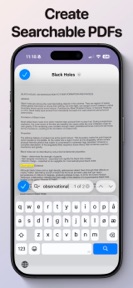


PDF Scan & Summarize is a document scanner and AI summarization tool for iPhone, built on a local-first privacy model.
The App DNA
What makes this app unique?
Users report: It removes the cognitive and privacy cost of uploading sensitive personal documents to external servers for AI processing.
For iPhone users requiring a private, local-first document scanner for receipts, contracts, and notes.
What does it look like?
Key features
Generates concise text summaries from scanned documents using local processing without cloud data transmission.
Captures physical paperwork with automatic edge detection and perspective correction.
Processes scans into searchable files compatible with system-level tools like Spotlight and Preview.
How much does it cost?
Freemium model gates volume-based usage, positioning the PRO tier as the primary solution for high-frequency document management.
Velocity
Maintenance developmentUX improvementsnew contentShow more...
The app currently operates on a maintenance cadence, with only one release recorded in the analyzed window. The latest version introduced significant utility features, including searchable PDF functionality and library sorting options, but the 70-day interval between updates indicates a lack of frequent development momentum. There is no evidence of a live-ops strategy or recurring content cycles. Future development appears focused on occasional feature additions rather than continuous iteration.
Who built it?
Bjorn Jenssen
6 apps tracked · Productivity
 Air Quality Index Deluxe
 Lunar - Moon Phase & Widgets
 XeeWar: Hex War Tactics
 Sunrise Sunset Widget
 UV Index Widget - Worldwide
User Sentiment
What do users think recently?
How are ratings & reviews evolving?
Not enough recent reviews to extract reliable themes yet.
Read the full review analysisCompetition
Competitive landscape for PDF Scan & Summarize
How's the Productivity market?
PDF Scan & Summarize occupies a specialized privacy-first niche in the Productivity category, maintaining a 5-star rating despite a 70-day update cadence. The lack of cloud-sync features creates a clear divide between this app and mainstream rivals that prioritize cross-device availability.
Read the market outlookThe rivals identified
Unlock the deeper market read.
Access the full report for freeThe Analyst's Read
Key takeaways for PDF Scan & Summarize
Where is it heading?
The document scanning market is consolidating around cloud-integrated workflows, but PDF Scan & Summarize remains advantaged among privacy-conscious users. The current maintenance-only cadence risks long-term churn if rivals introduce local-first privacy modes that match this app's core differentiator.
- The 5-star rating indicates the privacy-first value proposition successfully meets the needs of its target user base.
- The 70-day update cadence suggests a maintenance-only posture, which leaves the app vulnerable to rivals with more aggressive feature-shipping schedules.
The SWOT
- On-device AI processing removes the connectivity dependency rivals require for document summarization
- Localized pricing remains untapped in high-ARPU markets where the category median is higher
Next best moves
Audit the daily scan limit because it is the primary conversion gate to PRO → increase conversion rate
+ 1 more prioritized moveThe counter-intuitive read
The privacy-first, local-only design is not just a feature but a retention barrier…
Read the full takeSince the last report: The app's competitive narrative shifted to emphasize a 5-star rating and a strategic pivot toward optimizing conversion gates rather than just maintaining existing features. This marks a move from passive maintenance to active revenue-focused development.
Bottom line
PDF Scan & Summarize defends a niche via local-first processing, but the current maintenance cadence risks stagnation against cloud-integrated rivals. Investing in conversion-gate optimization would unlock revenue from the existing privacy-conscious user base.
Unlock 1 critical friction, 1 market threat, 1 more prioritized move and the analyst’s take.
Access the full report for freeFAQ
Is PDF Scan & Summarize safe for sensitive documents?
Does PDF Scan & Summarize work without an internet connection?
What is the difference between the free and PRO versions?
Sources
Report last updated