


PDF To HTML App

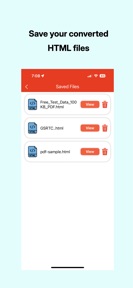


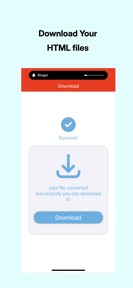
PDF To HTML App is a free, ad-supported utility for converting PDF documents into HTML files on iOS and Android.
The App DNA
What makes this app unique?
The app removes the registration friction typically found in web-based conversion tools, serving users who need immediate, one-off document processing.
For Web developers and content creators requiring quick, automated conversion of PDF documents into web-ready formats.
What does it look like?
Key features
Transforms PDF documents into HTML files while attempting to preserve original layout and styling.
In-app previewer for generated HTML documents.
Enables sharing of the converted HTML output via system-level share sheets.
How much does it cost?
Monetization relies entirely on ad-supported inventory within a free-to-use utility tool.
Velocity
Maintenance developmentnew contentUX improvementsperformanceShow more...
With only two distinct versions released in the observed window and a last update occurring 48 days ago, the app operates on a maintenance cadence. Development is currently focused on basic utility features and minor performance refinements. The release history shows a stable but infrequent update pattern, with no evidence of live operations or rapid feature iteration. The latest release added core functionality, while previous updates focused on layout and stability.
Who built it?
Yogesh Rathod
13+ apps tracked · Productivity
 Background Eraser - Automatic
 PDF To SpreadSheet App
 Camera Translator App
 Document Language Translator
 PDF File Translator App
 PDF-AI Document Translator
 URL Shortener App
 HTML To PDF App
 Dictionary and Translation App
 JPG To PDF App
 PDF To PNG App
 SpreadSheet To PDF App
User Sentiment
What do users think recently?
Review voice lately leans upset. Users appreciate the core pdf to html conversion functionality provides value for users who successfully execute the process.
How are ratings & reviews evolving?
What users say, by theme
- The core PDF to HTML conversion functionality provides value for users who successfully execute the process
- Frequent application crashes and failure to launch prevent users from accessing the core conversion functionality
24 of 24 recent reviews analyzed · moderate confidence · Upset overall
Read the full review analysisUnlock 1 more frustration theme, each backed by review evidence.
Access the full report for freeCompetition
Competitive landscape for PDF To HTML App
How's the Productivity market?
PDF To HTML App occupies the free utility space, but its 1.09-star rating across 80 total platform ratings indicates it is failing to meet basic functional expectations. The lack of a paid tier or subscription model leaves the app entirely dependent on ad-inventory that is currently unreachable due to launch-time crashes.
Read the market outlookThe rivals identified
Unlock the deeper market read.
Access the full report for freeThe Analyst's Read
Key takeaways for PDF To HTML App
Where is it heading?
The market for PDF conversion is consolidating around stable, web-based tools that do not require app installation. PDF To HTML App is currently exposed due to its inability to maintain basic functional parity, and without immediate stability improvements, the app will continue to lose its remaining user base to more reliable alternatives.
- Persistent launch failures across multiple device configurations prevent users from accessing the core conversion utility, leading to a critical sentiment low.
- The latest update failed to mitigate reported crashes, suggesting that the current maintenance cadence is insufficient to stabilize the core user experience.
The SWOT
- Zero-registration conversion flow lowers entry friction.
- System-level share sheet integration facilitates file distribution.
- Implement robust crash-reporting to identify specific hardware failures.
- Add batch processing to differentiate from single-file conversion rivals.
Next best moves
Audit launch-time crash logs because 1.09-star reviews flag failure-to-launch as the top complaint → stabilize user experience
+ 1 more prioritized moveThe counter-intuitive read
The app's failure to launch is a more…
Read the full takeBottom line
PDF To HTML App must prioritize stability over feature expansion, as the current launch-time crashes render the core utility inaccessible for a majority of users. Addressing these technical failures is the only path to stabilizing the user experience and retaining the current install base.
Unlock 2 critical frictions, 2 market threats, 1 more prioritized move and the analyst’s take.
Access the full report for freeFAQ
Is PDF To HTML App free to use?
Does PDF To HTML App require an account?
Why does PDF To HTML App crash when I open it?
Sources
- [1] Play Store listing
Report last updated