


PDF to Word - File Converter +
By Worth A Try


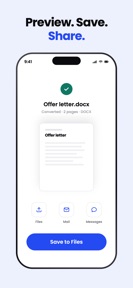


PDF to Word is a document conversion utility for iPhone that transforms PDFs, Word files, and images into various formats locally on the device.
The App DNA
What makes this app unique?
The app removes the data-security risk of cloud-based conversion by processing files offline, serving users who handle sensitive documents.
For iPhone and iPad users who prioritize data privacy and offline functionality for document conversion tasks.
What does it look like?
Key features
Conversion processes run locally on the iPhone without cloud uploads, serving as a privacy-focused brand mechanism.
Converts files without internet connectivity, ensuring utility remains available in low-connectivity environments.
Converts PDF to DOCX, Word to PDF, photos to PDF, and text to PDF, with core utility locked behind Pro.
How much does it cost?
The app gates all functional conversion tools behind a Pro subscription, which users report prevents testing before purchase.
Velocity
Maintenance developmentopaqueShow more...
With only one version released in the observed window and a cadence of 10 days since the latest update, the development momentum is classified as maintenance. The release notes for the latest version are unavailable, providing no signal regarding new features or functional changes. Development appears focused on stability or minor adjustments rather than active feature expansion. The app has remained in a state of minimal activity throughout the current observation period.
Who built it?
Worth A Try
5 apps tracked · Productivity
 Signature Creator - Signed
 Period Tracker - MoodSwings
 ADHD Reminders: Wake Up Call
 Screen Time Control - Paused
User Sentiment
What do users think recently?
Fresh user feedback skews frustrated.
How are ratings & reviews evolving?
What users say, by theme
- Mandatory payment gates prevent users from testing core functionality before committing to a subscription purchase
1 of 1 recent reviews analyzed · limited sample
Read the full review analysisCompetition
Competitive landscape for PDF to Word - File Converter +
How's the Productivity market?
PDF to Word occupies a niche segment of privacy-focused productivity tools on iOS. The current 2.0-star rating across 1 review highlights significant friction caused by the lack of a functional trial tier.
Read the market outlookThe rivals identified
Unlock the deeper market read.
Access the full report for freeThe Analyst's Read
Key takeaways for PDF to Word - File Converter +
Where is it heading?
The document conversion market is consolidating around freemium models that allow users to verify output quality before purchase. PDF to Word remains exposed due to its restrictive paywall, which limits its ability to gain traction against competitors that offer lower entry barriers.
- Mandatory payment gates prevent users from testing core functionality, which directly erodes new-user conversion and drives negative sentiment.
The SWOT
- On-device processing reduces data-security friction
- Offline capability ensures utility without connectivity
- Implement limited-use free tier to reduce friction
Next best moves
Implement a limited-use free tier because current payment gates prevent feature testing → increase conversion rate
The counter-intuitive read
The app's privacy-focused, offline-only design is a significant…
Read the full takeBottom line
The current paywall-first approach creates a barrier that prevents PDF to Word from demonstrating its value. Implementing a limited-use free tier would address the primary user complaint and allow the app to compete more effectively in the productivity category.
Unlock 2 critical frictions, 1 market threat and the analyst’s take.
Access the full report for freeFAQ
Can I test PDF to Word before buying?
Does PDF to Word require an internet connection?
Is my data safe when using PDF to Word?
Sources
- [1] App Store
Report last updated