


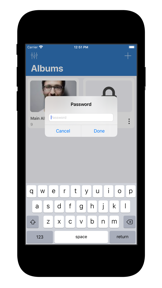
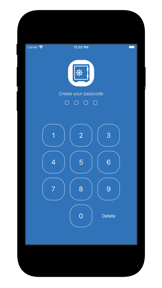

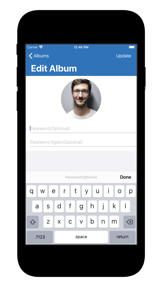

Photo Locker is a local-only media vault for iOS that secures photos and videos behind biometric and album-specific passwords.
The App DNA
What makes this app unique?
Users report: The app removes the risk of server-side data exposure by keeping all media on the device, though it creates a single point of failure for password recovery.
For Users seeking to hide sensitive photos or videos from others with physical access to their device.
What does it look like?
Key features
Restricts app access using Touch ID or Face ID, reinforcing user trust in the vault.
Applies unique passwords to specific albums, providing granular privacy control for power users.
Stores all media exclusively on the device, removing server-side maintenance costs.
How much does it cost?
Photo Locker operates as a free utility with no visible monetization, relying on local storage to avoid server-side costs.
Velocity
Dormant developmentopaqueShow more...
Photo Locker - Hide Photos has seen no development activity for 2,402 days. The app remains in a state of total stagnation with no feature updates, bug fixes, or maintenance releases recorded in the provided history. Given the lack of updates for over six years, the app is classified as a zombie project.
Who built it?
ELSNER TECHNOLOGIES PRIVATE
3 apps tracked · Photo & Video
 Latest Cake Design Ideas
 Photography Ideas
User Sentiment
What do users think recently?
How are ratings & reviews evolving?
Not enough recent reviews to extract reliable themes yet.
Read the full review analysisCompetition
Competitive landscape for Photo Locker - Hide Photos.
How's the Photo & Video market?
Photo Locker occupies a niche as a static, local-only privacy utility with no active development. The app maintains a 5.0 rating based on a single review, reflecting the lack of recent user engagement.
Read the market outlookThe rivals identified
Unlock the deeper market read.
Access the full report for freeThe Analyst's Read
Key takeaways for Photo Locker - Hide Photos.
Where is it heading?
Users report: The privacy utility market is consolidating around apps that offer both local-only security and encrypted cloud-backup options. Photo Locker's failure to evolve beyond its 2020 feature set leaves it exposed to modern competitors that solve the password-recovery friction that currently threatens user data.
- The 78-month development gap indicates the app is in a permanent maintenance-free state, which increases the likelihood of future OS-level compatibility failures.
The SWOT
- Biometric authentication provides standard, trusted security for local device access
- Encrypted cloud-backup option could differentiate the app from local-only rivals
Next best moves
Sunset the app because the lack of updates for 78 months renders it a liability → reduce user data-loss risk
The counter-intuitive read
The app's greatest weakness, its lack of cloud connectivity…
Read the full takeSince the last report: The assessment of Photo Locker has shifted from a focus on general maintenance-mode status to a specific warning regarding permanent data loss risks due to the lack of a password recovery mechanism. This change elevates the urgency of the product's status from a legacy utility to a high-risk tool.
Bottom line
The lack of updates since 2020 and the absence of a password recovery mechanism make Photo Locker a high-risk utility for media storage, signaling that users should migrate to actively maintained alternatives to avoid permanent data loss.
Unlock 1 critical friction, 1 market threat and the analyst’s take.
Access the full report for freeFAQ
Is Photo Locker safe for long-term storage?
Does Photo Locker have a cloud backup feature?
What happens if I forget my Photo Locker password?
Sources
- [1] App Store, source
Report last updated